1
FILE MANAGEMENT
4. Use [왖] and [왔] to
Protecting Files
select “On”, and then
press [SET].
Once you protect a file it cannot be deleted (page 83). You
can protect files individually or you can protect all files in
memory with a single operation.
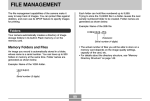
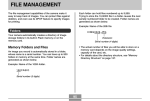
• A file that is protected is
indicated by the
mark.
To protect a single file
• To unprotect a file, select
“Off” in step 4, and then
press [SET].
1. In the PLAY mode, press [MENU].
5. Press [MENU] to exit the menu screen.
2. Select the “PLAY” tab,
select “Protect”, and
then press [왘].
3. Use [왗] and [왘] to scroll through files and
display the one you want to protect.
86