1
Video/Picture/Music Playback
BD/DVD Menus
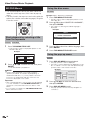
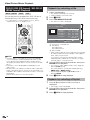
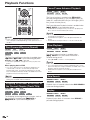
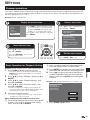
Using the disc menu
• This section explains how to play back a BD/DVD
video disc with a top menu, disc menu or pop-up
menu.
• The titles listed in the top menu and a disc guide (for
options like subtitles and audio languages) are given
in the disc menu.
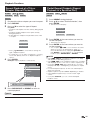
DVD VIDEO
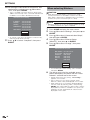
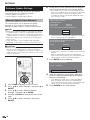
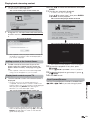
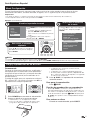
Example: Select “SUBTITLE LANGUAGE”.
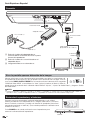
1
Press TOP MENU/TITLE LIST.
• The disc menu screen is displayed if present on the
DVD video disc.
2
Press a/b to select “SUBTITLE LANGUAGE”,
then press ENTER.
• The screen for selecting the subtitle language is
displayed.
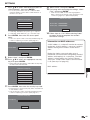
Example
MENU
1 AUDIO LANGUAGE
2 SUBTITLE LANGUAGE
3 AUDIO
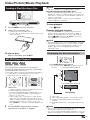
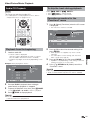
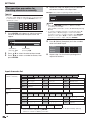
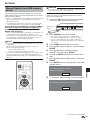
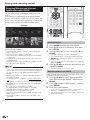
Start playback by selecting a title
from the top menu
BD VIDEO
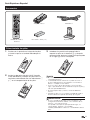
1
DVD VIDEO
Press TOP MENU/TITLE LIST.
3
• The top menu screen is displayed if present on the
BD/DVD video disc.
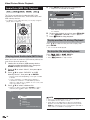
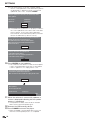
4
Press a/b to select the subtitle language, then
press ENTER.
Press TOP MENU/TITLE LIST to exit.
Example
TOP MENU
2
1
3
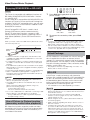
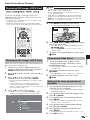
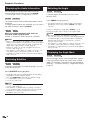
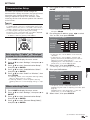
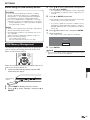
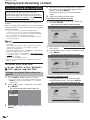
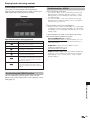
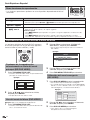
Using the pop-up menu
Jazz
2
Latin
BD VIDEO
Classic
4
Rock
1
• The pop up menu screen is displayed.
• The menu contents displayed vary depending on the
disc. For details on how to see and operate the popup menu, refer to the manual for the disc.
Example
Press a/b/c/d to select the title, then press
ENTER.
• The selected title is played back.
NOTE
Pop-up menu
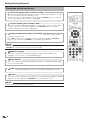
• The procedure explained on this page is the basic
operation procedure. Procedures vary depending on
the BD/DVD video disc, so you may need to follow the
instructions in the BD/DVD video disc manual or the
instructions displayed on the screen.
Top menu
• With some BD/DVD discs, the top menu may be referred
to as the “Title Menu”. Use TOP MENU/TITLE LIST on
the remote control when the instructions refer to “Title
Menu”.
• If no top menu is available, the TOP MENU/TITLE LIST
button will have no effect.
28
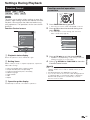
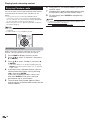
Press POP-UP MENU during playback.
Previous page
Next page
2
Press a/b/c/d to select the desired item,
then press ENTER.
3
Press POP-UP MENU to exit.
• The pop-up menu will automatically disappear for
some discs.