1
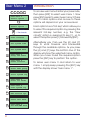
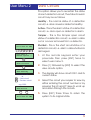
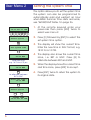
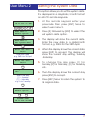
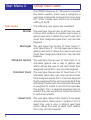
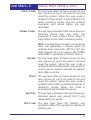
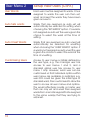
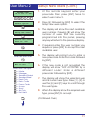
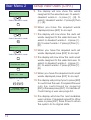
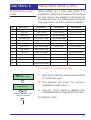
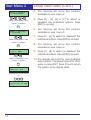
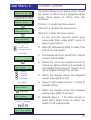
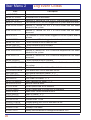
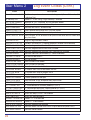
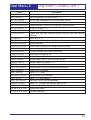
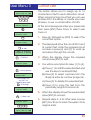
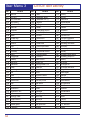
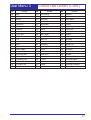
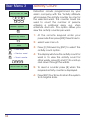
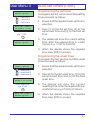
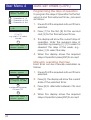
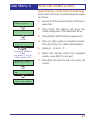
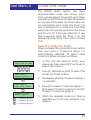
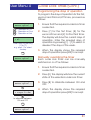
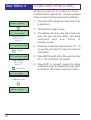
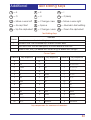
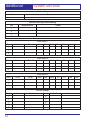
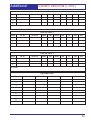
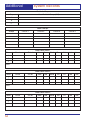
User Menu 4 Log Search Keys This option allows you to configure the nine log search keys. When viewing the event log you would normally use the [A] and [C] keys to scroll backwards and forwards through the event log. The log search keys allow you to scroll backwards through the log, but will only display events that meet the search key criteria. Each search key can have up to 5 search events assigned to it. For example, log search key [1] could be set up to search for alarms, set wards and unset wards. When viewing the log and pressing [1] the display would show the next event that met the search key criteria, i.e. it would display the next logged alarm, set wards or unset wards. If you only want to search for a single event type then assign all 5 events as the same type. The table below shows the default log search key setting. Key Event 1 Event 2 ALARM xxxx Event 4 ALARM xxxx Event 5 1 ALARM xxxx 2 24hr ALARM xxxx 24hr ALARM xxxx 24hr ALARM xxxx 24hr ALARM xxxx 24hr ALARM xxxx 3 FIRE ALARM xxxx FIRE ALARM xxxx FIRE ALARM xxxx FIRE ALARM xxxx FIRE ALARM xxxx 4 PA ALARM xxxx PA ALARM xxxx PA ALARM xxxx PA ALARM xxxx PA ALARM xxxx 5 TAMPER xxxx TAMPER xxxx TAMPER xxxx TAMPER xxxx TAMPER xxxx 6 ENTRY xxxx ENTRY xxxx ENTRY xxxx ENTRY xxxx ENTRY xxxx 7 PASSCODE xxx PASSCODE xxx PASSCODE xxx PASSCODE xxx PASSCODE xxx 8 SET WARDS:- SET WARDS:- SET WARDS:- SET WARDS:- SET WARDS:- 9 UNSET WARDS:- UNSET WARDS:- UNSET WARDS:- UNSET WARDS:- UNSET WARDS: 44 ALARM xxxx Event 3 ALARM xxxx