1
•
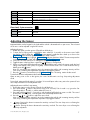
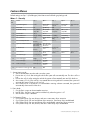
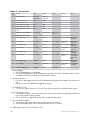
button: Pressing this button resets to default level 7. The siren chirps three times.
To exit the shock sensor adjustment mode from the 1 way remote control:
Press and release the
button any time during programming to go back to the main menu. Press and hold
for 1.5 seconds in the main menu to exit programming.
AUX
AUX
Initializing Virtual Tach (not needed w/hardwire tach inputs)
To program Virtual Tach:
1. After the install is complete, remote start the engine. The programming operation may require 3 cranks of
the starter before the engine starts and runs. Do not turn off the remote start if this happens, it is a normal
programming operation.
2. Once the engine begins running, let it run for at least 30 seconds.
3. Using the Remote, send the Remote start command to turn remote start off. Virtual Tach is programmed.
To reset Virtual Tach, go into the Reset and Deletion section of this guide. Virtual Tach cannot be reset with
the Bitwriter.
Note: Virtual Tach cannot be used in MTS Manual Transmission Mode. It is also not recommended for diesel
trucks.
Virtual Tach handles disengaging the starter motor during remote starting – it does not address over-rev. If the
customer wants to have the over-rev protection capability, the tach wire must be connected.
Important: After successfully learning Virtual Tach, a small minority of vehicle starters
may over crank or under crank during remote start. The Bitwriter can be used fine tune
the starter output time in 50mS increments to compensate for such an occurrence.
Learning the Tach (not needed with Virtual Tach)
To learn the tach signal:
1. Start the vehicle with the key. Within 5 seconds, press and hold the Control button.
2. After 3 seconds the status LED on your Control Center lights constant when the tach signal is learned.
3. Release the Control button.
Note: When the tachometer is programmed, the main unit automatically enters the Tachometer engine
checking mode.
Neutral safety switch interface
Some vehicles do not have an electrical neutral safety switch. Instead, the vehicle has a mechanical neutral
safety switch that physically interrupts the starter wire and is used when the vehicle is in any drive gear. If the
remote start is interfaced before this switch, it will provide protection from starting in gear. However, some
vehicles combine the column shift mechanism and the mechanical neutral safety switch into one mechanical
part.
Important: You must complete the remote start system installation before doing the following test. Ensure that the remote start system is functioning normally. This includes connecting to the brake as a shut-down.
Testing the neutral safety switch
1.
2.
3.
4.
5.
6.
8
Make sure there is adequate clearance to the front and rear of the vehicle because it may move slightly.
Make sure the hood is closed and there are no remote start shut-downs active.
Set the emergency brake.
Turn the key to the “run” position, this releases the shifter.
Place the car in drive (D).
Place your foot directly over the brake pedal, but do not depress it. Be ready to step on the brake if the
starter engages.
© 2009 Directed Electronics. All rights reserved.