1
Quick Start Guide
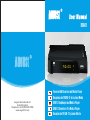
DVB415
Thank you for purchasing this August Receiver. You may already be
familiar with using similar products but please take the time to read these
instructions carefully. They are designed to familiarise you with the
product’s many features and to ensure that you get the very best from
your purchase.
Safety
Please read the Safety Instructions before using this product to ensure
your safety and the safety of others.
Disposal
Please ensure the product and its accessories are disposed in compliance
with WEEE (Waste Electrical and Electronic Equipment) Directive and
any other applicable regulations. Please check with your local authority
for current disposal regulations.
Customer Service
If you need help, please contact our Customer Service:
Telephone: +44 (0) 845 250 0586
Email: [email protected]
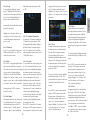
2. Connect the device with a monitor via HDMI or SCART. Connect the device to the
mains power, press the Power button on the remote to switch on the device.
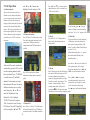
3. When turning on the device for the first time, “Installation Guide” will show. Follow
the instructions to select the desired OSD Language and Country, then press <OK>.
The auto search will then start. Once the search has finished, press <▲> or <▼> to
select channels. Press <TV/RADIO> to switch between Freeview TV and Radio
channels.
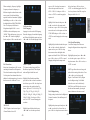
4. If you have done the first time installation before, and would like to search for Digital
Freeview channels again, or if you have moved to a different region and need to search
channels again, press <MENU>, move to the “Installation” menu, select Auto Search
and press <OK> to start the search. Once the search has finished, press <▲> or <▼>
to select channels. Press <TV/RADIO> to switch between Freeview TV and Radio
channels.
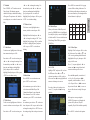
5. To play music, photos, movies or PVR from a USB memory stick, insert the memory
stick into the USB port, press <MENU>, move to Media Player menu, select “Music”,
“Image”, “Video” or “PVR”, press <OK> to view the file list. Select a file and press
<OK> to Play.
6. Please note that the signal strength in some areas may not be sufficient to support TV
reception using a portable aerial. The distance from the closest transmitter and other
factors such as surrounding buildings, the walls of your house, weather and electromagnetic interference caused by power and telecommunication infrastructure may
affect signal strength. Changing location may improve signal reception and a rooftop
aerial designed for digital TV can be used to achieve the best possible reception.
7. For any further queries, please telephone August International Ltd helpline
+44 (0) 845 250 0586 or email [email protected]
English
User Manual
1. It is suggested that you use a roof top aerial when searching for TV channels for the
first time.