1
TABLE OF CONTENTS
TABLE OF CONTENTS (Cont.)
4
1
OPERATION
INTRODUCTION
Features
2
INSTALLATION
System Requirement
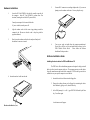
Hardware Installation
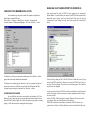
Software Installation
Testing the Modem
Accessing the Flash (F:) drive
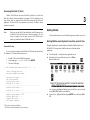
Formatting the Flash (F:) drive
Sending a Fax
Send Fax Entry
Cover Page
Phone book
Receiving Fax
View Fax
MiniFax Utility
Printing Fax
Log
Configuring MiniFax
Manual Dial
Upgrading the MiniFax
5
USING THE THINFAX AS A DATA MODEM IN THE HP 100/200LX
3
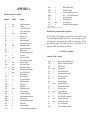
Operating consideration
Operating Mode
Flow Control
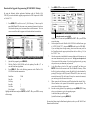
GETTING STARTED
Starting MiniFax Under System=s Icons View and List View
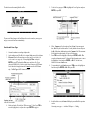
Send fax with Cover Page
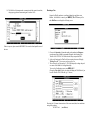
Receive a Fax
6
USING THE THINFAX AS A DATA MODEM IN PC CARD COMPATIBLE
COMPUTER
Hardware Installation
Software Installation Guide
COM Port Configuration
Using the ThinFax LXM as a FLASH card in PC Card Compatible
Computer
Install EXP FLASH card device driver