1
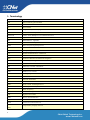
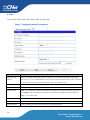
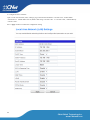
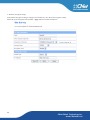
Item
Description
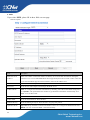
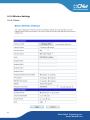
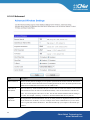
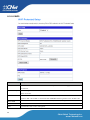
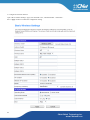
Click Wireless OFF button to turn off wireless RF radio. Click Wireless ON button to turn on wire-
Wireless On/Off
less RF radio.
Antenna Switch
Select Internal antenna or External antenna for using. The default is using Internal antenna.
Wireless Mode
Click to select wireless mode from pull down menu.
Wireless Band
Click to select wireless band from pull down menu.
SSID
It is the wireless network name. The SSID can be 32 bytes long. User can use the default SSID or
change it.
Broadcast Network Name
Enable or disable the SSID broadcast function.
(SSID)
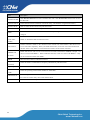
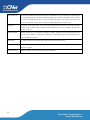
Wireless network is similar to the virtual local area network. All of the Wireless client devices can
AP Isolation
access each other completely. When you enable this function, it will turn off connection between
wireless clients. Only allows connection between wireless client and this AP router.
MBSSID AP
Isolation
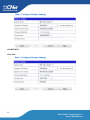
BSSID
Frequency
(Channel)
Operating Mode
Channel Bandwidth
Guard Interval
MCS
32
Enable this function will turn off connection between clients with different MBSSID. Example: The
client connected with BSSID 1. When enable this function, it will not connect with BSSID 2. Only
can access between clients with SSID 1.
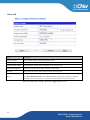
Show the MAC address of Wireless interface.
Select the wireless communication frequency/channel from pull-down menu.
Select “Mixed Mode” for 11a/n mode or “Green Field” for 11n mode.
Select the operating channel width 20 MHz or 20/40 MHz.
Select “Long” or “Auto”. Guard intervals are used to ensure that distinct transmissions do not inte rfere with one another. Only effect under Mixed Mode.
Select 0~7 or “Auto” from pull down menu. The default is “Auto”. Only effect under Mixed Mode.
CNet Global Technology Inc.
www.CNetusa.com