1
Rugged Computing
Contents
IMPORTANT SAFETY INSTRUCTIONS ............................................................ 2
PACKAGING LIST .................................................................................................. 6
CHAPTER 1 GETTING STARTED........................................................................ 9
1.1 CONNECTING THE AC POWER.................................................................................. 9
1.2 TURNING ON AND OFF THE TABLET PC..................................................................... 10
1.2.1
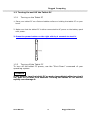
TURNING ON THE TABLET PC ........................................................................ 10
1.2.2
TURNING OFF THE TABLET PC ....................................................................... 10
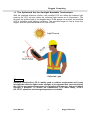
1.3 THE OPTIMIZED USE FOR SUNLIGHT READABLE TOUCHSCREEN. ....................................... 11
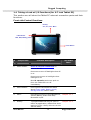
1.4 TAKING A LOOK AT I/O FUNCTIONS (FOR 9.7 INCH TABLET PC) ....................................... 12
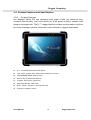
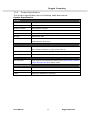
1.5 PRODUCT FEATURES AND SPECIFICATION .................................................................. 16
1.5.2 Product Features ..................................................................................................................16
1.5.2 Product Specification...........................................................................................................17
CHAPTER 2 OPERATING TABLET PC AND HOTTAB HOTKEY UTILITY
................................................................................................................................... 20
2.2 STARTING AND STOPPING THE TABLET PC ................................................................. 20
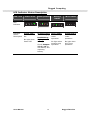
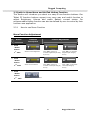
2.2 QUICK TO KNOW MENU AND HOTTAB HOTKEY FUNCTION ............................................... 21
2.2.1 How to use Menu Function ................................................................................................21
2.2.2 How to use Hotkey Function .............................................................................................24
2.2.3 Connecting to a Wireless Network ..................................................................................27
2.2.4 Using the Bluetooth Wireless Feature............................................................................28
2.2.4 Using the 3G Feature (Optional) .....................................................................................30
2.2.6 Using the Camera Feature.................................................................................................33
CHAPTER 3 TABLET PC POWER MANAGEMENT ........................................ 35
3.1 ABOUT AC ADAPTER .......................................................................................... 35
3.2 CHARGING AND CHECKING CHARGING STATUS ........................................................... 36
3.2.1 Charging the Battery Pack.................................................................................................36
3.2.3 Charging Approaches ..........................................................................................................36
3.2.3 Checking the Battery Level ...............................................................................................37
3.2.4 Battery Low Signals and Actions .....................................................................................37
3.3 POWER MANAGEMENT......................................................................................... 37
FOR DETAILED INFORMATION ON POWER MANAGEMENT, SEE WINDOWS’ HELP.............................. 38
CHAPTER 4 EXPANDING YOUR TABLET PC................................................ 40
4.1 HOW AND WHEN TO USE BIOS SETUP .................................................................... 40
4.2 BIOS FUNCTIONS ............................................................................................. 41
4.2.1 Main Menu ..............................................................................................................................41
4.2.2 Advanced Menu.....................................................................................................................41
4.2.3 Chipset Menu.........................................................................................................................44
4.2.4 Boot Menu ..............................................................................................................................45
4.2.5 Security Menu .......................................................................................................................45
4.2.6 Save & Exit Menu .................................................................................................................46
Users Manual
7
Rugged Table PCs