1
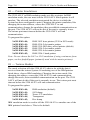
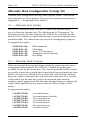
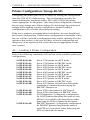
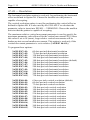
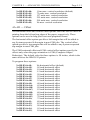
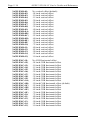
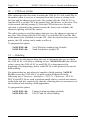
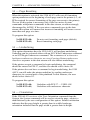
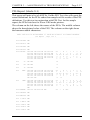
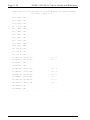
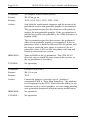
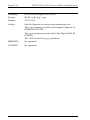
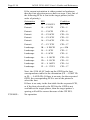
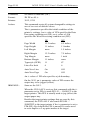
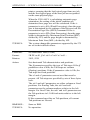
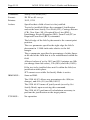
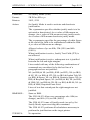
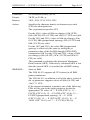
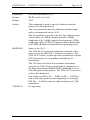
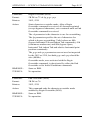
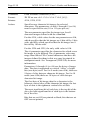
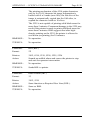
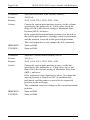
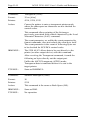
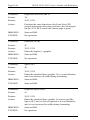
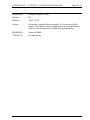
CHAPTER 1 GETTING STARTED Page 1-15 1 Twinax Addressing The user must choose an address that does not conflict with an existing device on the twinax line. The default factory configuration for the twinax address is 1. If using this address, no address selection is needed. To change the address, press the MODE button until the LED reads 1. After two seconds, the LED will display an underscore (_). Then press the MODE button until the LED displays the number of the appropriate address (0-6). After two seconds, the address will be changed and the unit will return to Normal Operating Mode. Changing a twinax address causes the 5250 ALLY to stop communication on the current address unless the address is in use. The current twinax address must timeout before the 5250 ALLY will end communication on the address. When the address change takes place, the 5250 ALLY will end communication on the address, reconfigure the twinax port for the new address, then reestablish communication on the new address. 2 Printer Emulations In emulation mode, the 5250 ALLY imitates a printer, and the user must tell the 5250 ALLY which of the following possible printers it will emulate. The selected emulation must match the device to which the System has been configured to print. The device emulations are: 0. IBM 3812 laser printer ( SCS mode 5219 emulation) 1. IBM 4214-2 dot matrix printer 2. IBM 5219-D02 daisy wheel printer (default) 3. IBM 5224-2 dot matrix printer 4. IBM 5225-4 dot matrix printer 5. IBM 5256-1 band printer To select an emulation, press the MODE button on the 5250 ALLY front panel until the LED reads 2. After two seconds, the LED will display an underscore (_). Then press the MODE button until the LED displays the number of the appropriate emulation (0-5). After two seconds, the emulation will be changed and the unit will return to Normal Operating Mode.