1
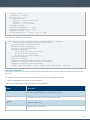
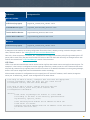
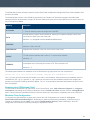
LCE Client
Starting Methods
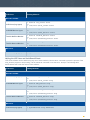
Red Hat / CentOS
LCE Client (Log Agent)
# service lce_client start
or
# /etc/init.d/lce_client start
LCE WMI Monitor Agent
# service wmi_monitor start
or
# /etc/init.d/wmi_monitor start
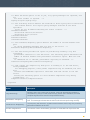
Tenable NetFlow Monitor
# service netflow_monitor start
or
# /etc/init.d/netflow_monitor start
Tenable Network Monitor
# service network_monitor start
or
# /etc/init.d/network_monitor start
Mac OS X
LCE Client (Log Agent)
# SystemStarter start LCEClient
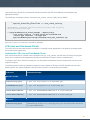
Halting the LCE Linux and Unix-Based Clients
LCE Client software can be halted using any one of three methods; Use the kill command to cause the process of the
lce_client program to stop running, use the service command or use the init.d script. The following table
demonstrates how to halt the various client software:
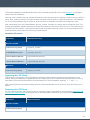
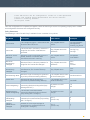
LCE Client
Halting Methods
Red Hat / CentOS
LCE Client (Log Agent)
# service lce_client stop
or
# /etc/init.d/lce_client stop
LCE WMI Monitor Agent
# service wmi_monitor stop
or
# /etc/init.d/wmi_monitor stop
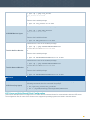
Tenable NetFlow Monitor
# service netflow_monitor stop
or
# /etc/init.d/netflow_monitor stop
Tenable Network Monitor
# service network_monitor stop
or
# /etc/init.d/network_monitor stop
Mac OS X
LCE Client (Log Agent)
# SystemStarter stop LCEClient
38