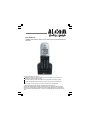
1
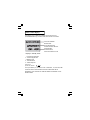
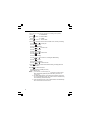
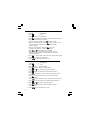
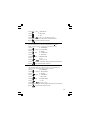
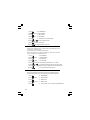
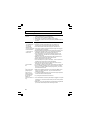
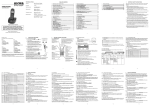
Phone Function Keys
LCD Display
EAR PIECE
Recall/Delete button
• Press to delete memory while
memory being checked
• Press to erase a digit or letter while
editing a number or name
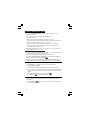
• You may need this function if your
phone is connected to a PBX, or if you
use BT Calling Features.
• When you get a busy line,press R button
to get a new dial tone.
• Press R button to answer call waiting
line. (second call) press R button again
to get back to the first line.
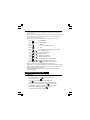
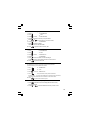
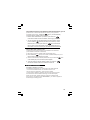
Redial/Pause
• During talk mode, press to redial
the last dialled number
• Press while dialling a number to
insert a pause
• Press to review last number redial list
HANG UP /Power on/off /C
• During talk mode, press to end
the call and go back to idle mode
• Press and hold for 3 seconds to
switch handset power on/off
Ring on/ off
TALK/Handsfree
•
•
•
Press to make or answer phone
calls in the earpiece
During talk mode, press to turn
on/off speakerph one
Press and hold to switch
the handset external call ringer on/off
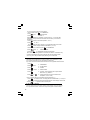
Intercom
• Press to call other handsets
• During talk mode, press to
transfer call to another handset
STAR/Lock
•
Press and hold for 1.5seconds to
MOUTH PIECE
switch the key lock on/off
• Press and hold when setting
Mute
up conference call
• Press when in Pulse dialling
• Press to mute the microphone
mode to change to Tone
during a call
UP/CID
dialling for the rest of that call.
• Press to scroll up through the lists
and menu options
• During talk mode, press to increase
volume in the earpiece / loudspeaker
• Press to review the Caller ID list
Phonebook/Exit
•
•
Menu/OK
•
Press to enter menu functions from
idle mode & to confirm selections
Press to access phonebook records
Press to exit present menu
DOWN/ CID
• Press to scroll down through
the lists and menu options
• During talk mode, press to decrease
volume in the earpiece / loudspeaker
• Press to review the Caller ID list