1
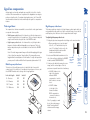
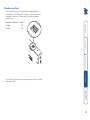
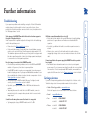
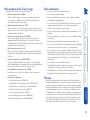
Further information Troubleshooting ........................................................................14 Getting assistance......................................................................14 Radio Frequency Energy ...........................................................16 Mounting a module – desk or rack ............................................4 Connections .................................................................................5 Connections at the LOCAL module........................................5 Video ...................................................................................5 USB .....................................................................................6 Audio ..................................................................................6 Link connection(s) ..............................................................7 Optional power supply ......................................................7 Connections at the REMOTE module ....................................8 Video monitor ....................................................................8 USB devices (including keyboard & mouse)......................8 Audio connections .............................................................9 Link connection(s) ..............................................................9 Power supply ....................................................................10 Installation General use ................................................................................11 Power surge fuses......................................................................11 Power and activity indicators....................................................11 Signal loss compensation ..........................................................12 Video signal boost ................................................................12 Multi frequency video boost ...........................................12 High frequency video boost ............................................12 Microphone signal boost......................................................13 Introduction ................................................................................2 Supplied items .............................................................................3 Operation Welcome Contents 1