1
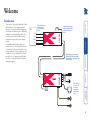
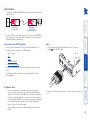
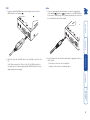
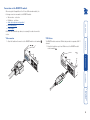
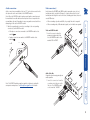
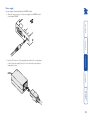
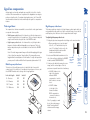
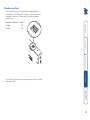
Optional power supply A power supply is only required by the LOCAL module when no USB connection is made to the USB port of the PC. 1 Attach the output connector of the power supply to the LOCAL module socket marked ‘POWER’. 2 Insert the IEC connector of the supplied power lead into the corresponding socket of the power supply. Connect the other end of the power lead to a nearby mains socket. Audio link cable Required only when using microphone and/or speakers. 1 Insert the connector from the secondary twisted pair cable link into the LOCAL module socket marked ‘AUDIO’. Video and USB link cable 1 Insert the connector from the primary twisted pair cable link into the LOCAL module socket marked ‘USB + VIDEO’. Links between the LOCAL and REMOTE modules are made via one (or two) twisted pair cables, specified to Category 5 or higher. Ensure that the total twisted pair cable length for each connection (including patch boxes) does not exceed 100 metres. • When extending only video and USB, only a single link cable is required. • When extending video, USB and audio signals, two link cables are required. Link connection(s) 7