1
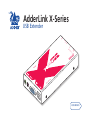
Further information Troubleshooting Sound from the microphone cannot be heard or is very quiet • Try changing the setting of REMOTE module switch 1 to ON. Getting assistance If you are still experiencing problems after checking the list of solutions in the Troubleshooting section then we provide a number of other solutions: • Adder Technology website – www.adder.com Check the Support section of our website for the latest solutions. • Email [email protected] • Fax in the UK: in the US: 01954 780081 +1 888 275 1117 • Phone in the UK: in the US: 01954 780044 +1 888 275 3337 Power is applied via the power supply but REMOTE module operation has stopped. • Each module has an internal automatic cut-out fuse to protect against power surges. To reset, remove power from the module for one second and then reconnect. To reset an unpowered LOCAL module, remove and then replace the USB connection. See the Power surge fuses section for details. No video image is received at the REMOTE module. • Check that the power/activity indicators are lit on the LOCAL and REMOTE modules - if they are not, then there is a power problem. • If the REMOTE module is severely over compensated, the monitor may not be able to display a picture. Try using a small flat-bladed screwdriver to turn the recessed dial anti-clockwise to reduce the video compensation. See the Video signal boost section for details. • Check that the USB + VIDEO link cable (Category 5 or higher) is wired correctly. See the Connections section for details. • If possible, try using an alternative USB + VIDEO link cable between the modules. • Temporarily disconnect the video link to the LOCAL module, connect a monitor directly to the computer video port and check for a correct video image output. USB devices work intermittently or not at all • Check that the link cables do not exceed 100 metres in length (including patch boxes). Longer cable runs will induce errors that disturb USB operation. • If possible, try a different link cable to see whether operation returns to normal. • Minimise close contact of the link cables with other cables or devices carrying high voltages. Such sources can induce interference into the link cable. Video image at the REMOTE module is distorted or shadows appear to the right of displayed objects. Video compensation is required to adjust for the length of the link cable being used. If video problems persist: • Please refer to the Video signal boost section. • If the overall video image is ‘fuzzy’ and/or has coloured shadows you may need to use the optional X-Series Skew Compensator (part number: X-SC). This standalone passive module allows you to finely tune the red, green and blue video signal timings (each of which is fed along separate twisted pairs) to overcome most colour separation problems. If you experience problems when installing or using the X-Series USB extender modules, please check through this section for a possible solution. If your problem is not listed here and you cannot resolve the issue, then please refer to the ‘Getting assistance’ section. 14