1
Emulation Manual
9
Loading and saving Shows
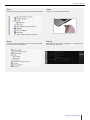
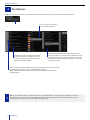
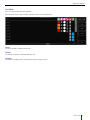
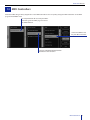
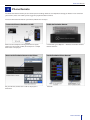
The DISK menu allows you to save the current show to a new file or to load an existing show.
Click NEW to create a new
empty show
Open an existing show file by
clicking OPEN and selecting a
show in the file-browser
To save the current show to a
new file, click SAVE AS and type
a new name.
TIP: Emulation automatically saves changes every few seconds. Therefore, manually saving the show is not required.
Loading and saving Shows 19