1
Emulation Manual
2
Set Options
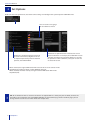
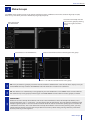
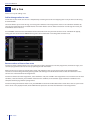
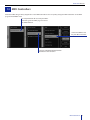
Before we start using Emulation, let’s tweak some settings and configure the system. Open the OPTIONS view:
You can choose a language
for the software’s menus
Emulation is updated regularly to provide
you with new features, bugfixes and new
or improved personality-files. To check for
updates, click CHECK NOW
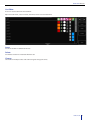
Emulation has optimized user-interfaces for several
screen resolutions. For example, the 1280x1024 version
provides you with 8 extra playback-buttons in 8 banks.
For optimal use of the software, select your screen size
or select Full Screen.
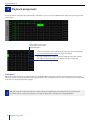
When enabled, the highest RGB Colour Mix value out of all active cuelists will be
outputted. The “Highest” colour is white (RGB 255,255,255).
When disabled, the most recently changed value for RGB Colour Mix will be
outputted (LTP).
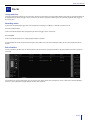
TIP: To use Emulation with an external visualizer or to output DMX via a third-party Art-net Node, connect the
CueCable to your computer and click ENABLE ART-NET on the Hardware page. At the Hardware page you can
change the Art-net universe on which Emulation outputs data.
8
Set Options