1
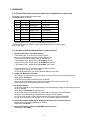
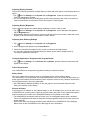
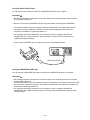
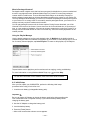
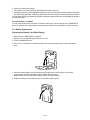
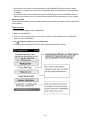
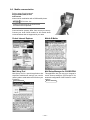
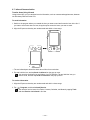
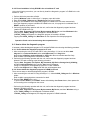
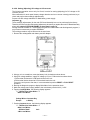
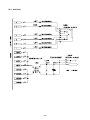
5. Tapping another unit's screen, the following display appears.
Ready
Ready
OK
Ready
On the other hand, the following display appears with checking unit.
Ready
OK
Ready
Ready
6. Pressing Action button with both units, Serial port Check Menu display appears again.
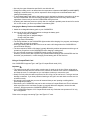
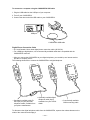
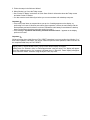
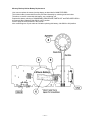
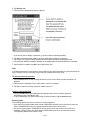
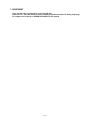
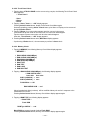
7. Tapping 7 Send / Receive <FIR Ck> with both unit, the following display appears.
<Fast Infrared SEND / RECEIVE>
1 Send
data (4Mbps)
2 Receive data (4Mbps)
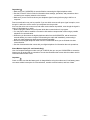
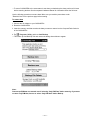
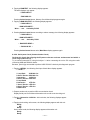
8. Tap 2 Receive data (4Mbps) with another unit, then tap 1 Send data (4Mbps) with the checking
unit. Doing so, the following display appears.
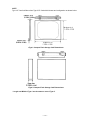
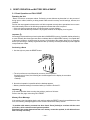
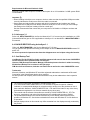
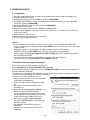
In case of the checking unit;
<Send mode>
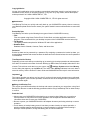
In case of another unit;
<Receive mode>
HHHHHHHHHHHHHHHHHH
HHHHHHHHHH....................
The letter "H" will continue to appear one after another.
9. To stop this data communication, press Action Control buttons with both units.
10. Exchanging the checking unit for another unit, perform operations of above 6~8.
Press Action Control buttons few times with both units to display Main Menu.
Turn off another unit power after performing FULL RESET.
8-4-2-5. Audio Check
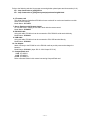
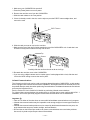
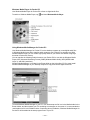
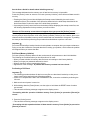
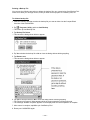
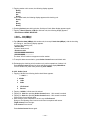
1. Tapping 6 AUDIO, the following Audio check Menu appears.
** Audio **
1 0.5kHz
2 1kHz
3 2kHz
4
5
LR-Channel
Record
2. Tapping 1 0.5kHz, 0.5kHz sound is emitted.
3. Tapping 2 1kHz after pressing Action Control button, 1 kHz sound is emitted.
4. Tapping 3 2kHz after pressing Action Control button, 2 kHz sound is emitted.
Press Action Control button again.
5. After setting a stereo earphone to the unit, tap 4 LR-Channel.
Doing so, the following sound can be heard from its earphone with stereo.
"Right channel" from the right
"Left channel" from the left
Press Action Control button again.
— 48 —