1
OPERATING MANUAL 2945A
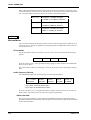
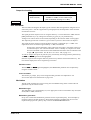
Key in the existing code number and press the [ENTER] key. The ’locked’ and the
ENTER CODE legends will no longer be shown.
Press the [Change Code] key. The inverse video legend ’New Card Code’ is displayed.
Key in a new four figure number and press the [ENTER] key.
The new code will apply to the card but it will not be protected in the Service Monitor until the
next power-up.
Storing on memory cards
Storing screen bitmaps
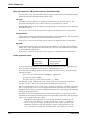
The facility to store a screen bitmap allows any active test screen to be held and saved. This
includes oscilloscope traces, spectrum analyzer displays and harmonic analysis displays.
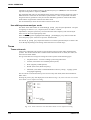
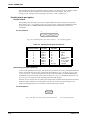
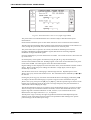
Screen bitmaps are stored from the DISPLAY HOLD STORE screen.
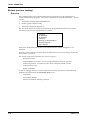
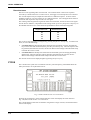
To store a screen proceed as follows:Press the [DISPLAY HOLD] key, as described under ’DISPLAYHOLD STORE, Storing
results’, above, until the DISPLAY HOLD STORE screen is shown.
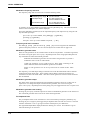
Press the [Store Screen] key. The inverse video message, ’Store Screen To Store No.’ is
displayed.
Key in the required two digit address.
The location address list will show the contents of the location as ’Screen’.
Storing systems data
Settings and results of SYSTEM tests, and user defined test programs, can only be stored on a
memory card when the Service Monitor is operating in a system option. The procedures are
described in the operating manual supplement applicable to the system. A summary of operation
is:
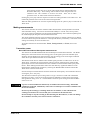
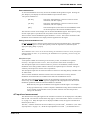
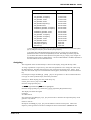
A memory card location which contains SYSTEM data will show ’Syst Set’ or ’Syst Res’ or
’BASIC’ on the location address list.
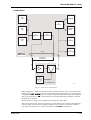
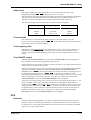
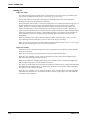
To store ’SYSTEMS’ data, press the[MEM] key. The STORE/RECALL screen will be displayed.
A [Store Sys Par] key is shown, in addition to those on the non-system screen.
Pressing this key will show a new soft key menu with the three keys [Store Sys Set],
[Store sys Res] and [Store BASIC]. Pressing the appropriate key will store the current system
parameter settings, the last test results from the current system or the user defined test program if
one is present.
Titling, protecting or deleting can be used as for non-system operation.
Storing system MI-BASIC programs
User defined SYSTEM test programs, which are written in MI-BASIC, can be stored on memory
cards as explained above. These must be down-loaded into the Service Monitor before they can
be transferred onto a memory card.
Printing from memory cards
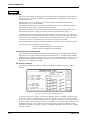
The contents of memory card store locations, with the exception of SYSTEM test results, can be
sent directly to a printer, without recalling into the Service Monitor display.
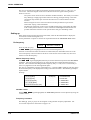
To print the contents of a store location, proceed as follows:Make sure that a suitable printer is connected, and that the Service Monitor is correctly
set up to drive it. (See Printer on page 3-89).
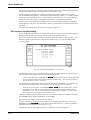
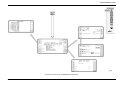
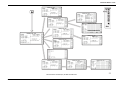
Access the STORE/RECALL screen.
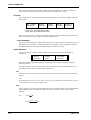
Press the [Print Store] key. The flashing inverse video message, ’Print Store No.’ will be
displayed.
Key in the two digit address of the store location to be printed.
The contents of the store will be printed.
When the printout is complete, the Service Monitor can be configured for further tests or
operations.
46882-311D
3-87