1
OPERATING MANUAL 2945A
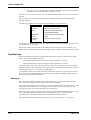
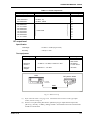
Specification
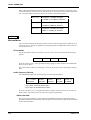
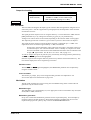
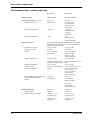
0.01 Hz ± frequency standard < 180 Hz
Frequency accuracy:
0.1 Hz ± frequency standard >180 Hz
(1)
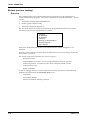
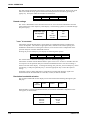
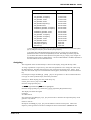
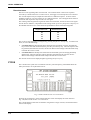
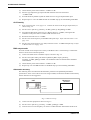
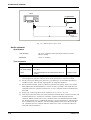
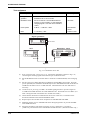
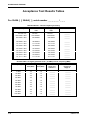
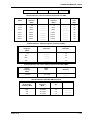
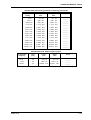
Refer to Results table 5-23 on page 5-38. Connect the UUT AF GEN OUT socket to the
UUT AF INPUT socket.
(2)
Set the UUT to [AF TEST], [AF Filter], [50 kHz LP] to set the Audio Input filter to 50 kHz
Low-pass.
(3)
Set [Audio Gen], [LEVEL] 1 V, [FREQ] 10 Hz. Audio generator 2 should be switched OFF.
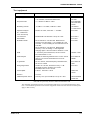
Check that the frequency indicated on the UUT audio counter is within the limits shown in
Results table 5-23. Repeat with the remaining frequencies shown in the table.
(4)
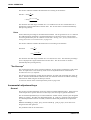
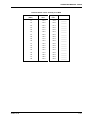
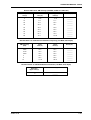
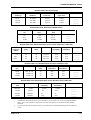
Refer to Results table 5-24 on page 5-39. Repeat checks with AF GEN 2.
AF input tests
Audio frequency meter
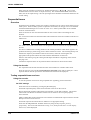
This test confirms the accuracy of the audio counter hardware. Overall accuracy is governed by the
instrument reference frequency. The reference is checked independently elsewhere. Note: If the
LF generator is not available then the Audio generator frequency check will confirm that the audio
frequency meter is functional.
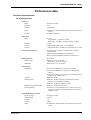
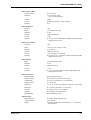
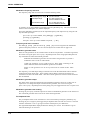
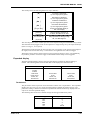
Specification
Frequency range:
20 Hz to 20 kHz
Resolution:
0.1 Hz, less than 10 kHz
1 Hz, at 10 kHz and above.
Accuracy:
As frequency standard ± digit ± resolution
Sensitivity:
50 mV
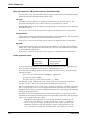
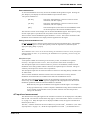
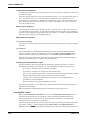
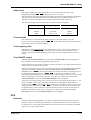
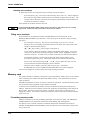
Test equipment
Description
46882-311D
Minimum specification
Example
LF generator
20 Hz to 20 kHz frequency external standard
In/Out
HP 3325B
DVM
1 % accuracy 20 Hz to 20 kHz
Solatron 7150+
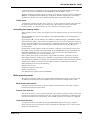
(1)
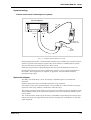
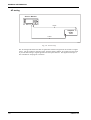
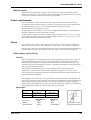
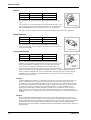
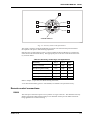
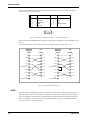
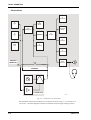
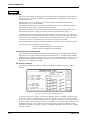
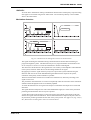
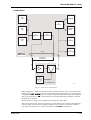
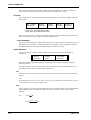
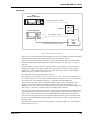
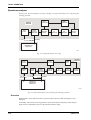
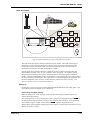
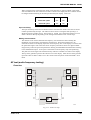
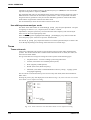
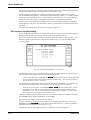
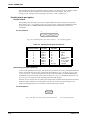
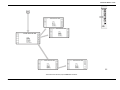
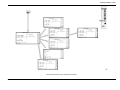
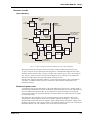
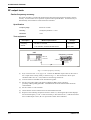
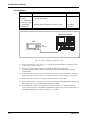
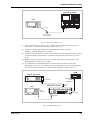
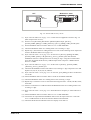
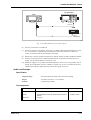
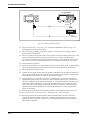
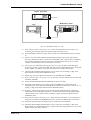
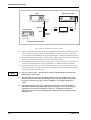
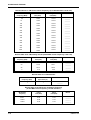
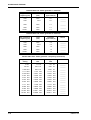
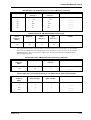
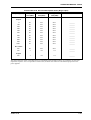
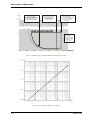
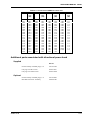
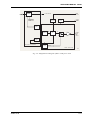
Refer to Results table 5-25 on page 5-39. Connect the equipment as shown in Fig. 5-12
connecting to the UUT AF input socket. The frequency standards of the UUT and LF
generator should be locked together. The 50 Ω load is in circuit because the LF generator
used indicates level across 50 Ω.
(2)
Set the UUT to [AF TEST]. Press [AF Filter], [50kHz LP] to set the Audio Input filter to
50 kHz Low-pass.
(3)
Set the DVM to monitor Volts AC.
(4)
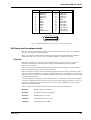
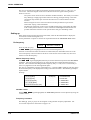
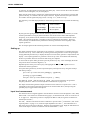
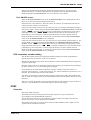
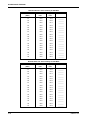
Set the LF generator to the first frequency shown in the Results table 5-25, and adjust the
level for an indication of 50 mV RMS on the DVM. Check that the frequency indicated on
the UUT audio counter is within the limits shown. Repeat for the remaining frequencies in
the table.
5-15