1
Glossary
Not all Home Router manufacturers use the term "Port Forwarding". Alternative
terms you may find in your Home Router can be: "Port Redirection", "Virtual
Servers" and "Applications and Gaming".
Home Router
A router is a device that connects two networks. The network within the house is
considered a LAN (Local Area Network). To enable Internet access from a LAN, a
connection to the WAN (Wide Area Network) has to be established using a router.
Routers enable all users in a network (LAN) to share a single connection to the
Internet or a WAN.
Two main technologies are used to provide high-speed Internet connections to private
houses. The first is called DSL or ADSL and the other is Cable.
In order to provide a Broadband Internet connection to the house, a device called a
Modem is installed in your house. Every device in the house that needs to be
connected to the Internet has to be connected to the DSL/Cable modem. Most
DSL/Cable modems have only one port for connecting a device within the house to
the Internet. In most cases (but not all) your computer is connected to this port.
If you have more than one device within the house that need to be connected to the
Internet you are required to attach a home networking device called a Home Router to
the DSL/Cable Modem. The home router enables connecting multiple devices to the
Internet at the same time via one DSL/Cable modem. The WAN (Wide Area
Network) port of the Home Router connects to the DSL/Cable modem. Devices that
need to be connected to the Internet are connected to the LAN (Local Area Network)
ports of the Home Router. All LAN and WAN ports are called Ethernet ports and are
connected via an RJ-45 connector.
Wi-Fi (Wireless LAN)
Standard home routers require Ethernet cables between the devices connected to the
Internet and the router. The "Wi-Fi" or "Wireless LAN" technology enables a wireless
connection between the devices and the home router. Some routers have the Wi-Fi
features built in. In others, the Wi-Fi feature can be added by attaching a Wi-Fi
"Access Point" to the home router. Routers with Wi-Fi and Wi-Fi access points can be
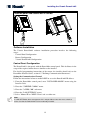
easily identified by one or two Antennas located on the backside of the home router or
Wi-Fi access point.
Product Limitations
Our wireless systems are very reliable and are tested to high standards. However, due
to their low transmitting power (required by FCC, DTI and other regulating
authorities) there are some limitations to be considered:
A. Receivers may be blocked by radio signals occurring on or near their operating
frequencies, regardless of the code selected.
B. A receiver can only respond to one transmitted signal at a time.
C. Wireless equipment should be tested regularly (at least once a week) to determine if
there are sources of interference and to protect against faults.
61