1
Santa Barbara Instrument Group
Universal Driver Application Note
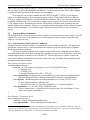
3.4.9 AO Delay
The AO Delay Command is used to generate millisecond type delays for exposing the Tracking CCD.
Parameters Struct:
struct AODelayParams {
ulong delay - this is the desired delay in microseconds
}
Notes:
• The computer essentially hangs while waiting for this delay to expire so be careful how you use
this command.
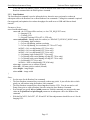
3.4.10 CFW
The CFW Command is a high-level API for controlling the SBIG color filter wheels. It supports the
CFW-2 (two position shutter wheel in the ST-5C/237), the CFW-5 (internal color filter wheel for the
ST-5C/237), the CFW-8, the internal filter wheel (CFW-L) in the ST-L Large Format Camera, the
internal filter wheel (CFW-402) in the ST-402 camera, the old 6-position CFW-6A, the 10-position
CFW-10 in both I2C and RS-232 interface modes, the I2C based CFW-9 and 8-position CFW for the
STL (CFW-L8), the five (FW5-STX) and seven (FW7-STX) position CFWs for the STX, the five (FW58300) and eight (FW8-8300) position CFWs for the ST-8300 and the eight (FW8-STT) position CFW
for the STT cameras.
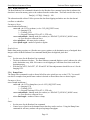
Parameters Struct:
struct CFWParams {
enum cfwModel – (see the CFW_MODEL_SELECT enum)
0=Unknown, 1=CFW-2, 2=CFW-5,
3=CFW-8, 4=CFW-L, 5=CFW-402,
6=Auto detect, 7=CFW-6A, 8=CFW-10,
9=RS232 based CFW-10, 10=CFW-9, 11=Standard CFW-L8,
12=Custom CFW-L8, 13=CFW-1603, 14=FW5-STX,
15=FW5-8300, 16=FW8-8300, 17=FW7-STX, 18=FW8-STT
enum cfwCommand – (see the CFW_COMMAND enum)
.
0=Query, 1=Goto, 2=Init, 3=Get Info,
4=Open CFW Device, 5=Close CFW Device
ulong cwfParam1 – command specific
ulong cfwParam2 – “ “
ushort outLength – “ “
uchar *outPtr
–“ “
ushort inLength – “ “
uchar *inPtr
–“ “
}
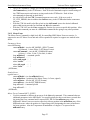
Results Struct:
typedef struct CFWResults {
ushort cfwModel – See cfwModel above
ushort cfwPosition – (see the CFW_POSITION enum)
0=Unknown, 1 thru 10 = Position 1 thru 10
ushort cfwStatus – (see the CFW_STATUS enum)
0=Unknown, 1=Idle, 2= Busy
Page 21