1
DTNR-manual-FINAL-dupe
ELAN
11/10/03
HOME
9:45 AM
Page 6
USER’S GUIDE AND INSTALLATION MANUAL
SYSTEMS
DTNR
To enter a PRESET into the DTNR’s memory:
1. Select the AM or the FM band by pressing the corresponding button.
2. Press the DIRECT button to select the manual tuning mode.
3. Select the station you want to listen to by pressing the STEP button or the numeric
buttons.
4. Press the MEMORY button. You will see Memory displayed in the VIA!’s Message Center.
5. Enter the two-digit preset number you wish to store the station under. You will see the
number displayed in the VIA!’s Message Center.
6. To store more stations, repeat steps 3 thru 5.
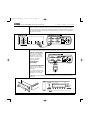
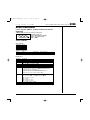
CONTROLLING THE DTNR USING ELAN KEYPADS
Your DTNR can also be controlled from ELAN keypads. It is up to your ELAN
installer/programmer to assign DTNR commands to each keypad button, and it is important that
you consult with them so that you know which button performs which command. As a rule of
thumb, it is best to keep the commands as user-friendly as possible since, unlike VIA! Touch
Panels, there are no messages displayed on a keypad to inform you of the DTNR’s status.
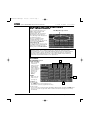
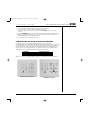
Generally, the following commands might be assigned to these buttons:
COMMAND
Tune/Preset Up/Down
Direct/Preset Select
KEYPAD BUTTON
/
or <<I >>I
Control
0-9
Make sure to consult you ELAN installer/programmer for detailed button/function information.
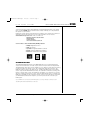
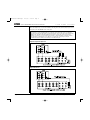
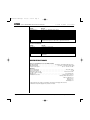
ELAN Z100/Z150 Keypads
© ELAN Home Systems 2003 • All rights reserved. 11/03
ELAN Z250 Keypad
Page 6