1
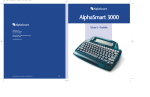
AlphaSmart 3000 Infrared Version
The AlphaSmart uses the infrared industry standard IrDA
interface. You can purchase an AlphaSmart IR Pod for your PC
or Mac in place of a cable. This pod attaches to your PC's
serial COM port or to your Mac's printer or modem port. (Your
IR AlphaSmart will still send text with a cable if you choose to
purchase one).
Cable Setup
USB Cable
Use this cable to connect your AlphaSmart 3000 to a computer
that has an operating system that supports USB and has USB
ports.
Other Optional Cables
Parallel Printer Cable
This cable allows your AlphaSmart to print directly to most
parallel printers. This cable is available only from AlphaSmart
or its dealers.
Serial Printer/Mac Updater Cable
This is a standard 8 pin serial cable. This cable allows your
AlphaSmart to print directly to most serial printers. It also allows
you to install new SmartApplets from a Mac with a serial COM
port to your AlphaSmart.
Please note: For the latest list of compatible printers please
refer to the following page on our web site:
http://www.alphasmart.com/support/printer_list_3000.html
Simply plug the rectangular end of the USB cable into the
computer's USB port (either on the CPU, on a USB hub, or on
some USB keyboards). Then connect the smaller, semi-square,
end into the AlphaSmart computer port.
The first time you connect an AlphaSmart to a USB port on a
PC, Windows will bring up a series of screens to install the
driver necessary to support the AlphaSmart. Simply click on the
“Next” button in each screen until finished, you might then be
required to restart your PC.
PC Updater Cable
Use this cable when you wish to install a new SmartApplet from
a PC to your AlphaSmart via your serial COM port.
5
AlphaSmart 3000
www.alphasmart.co.uk
6