1
GCA70–281
7
Using The Other Telephone Features
Using The Other
Telephone Features
7.1 Adjusting The Display Contrast
• To adjust the display contrast,
1. Press OPTIONS.
2. Press NEXT until DISP is displayed.
3. Press DISP (display reads “contrast level”).
4. Press LIGHT or DARK to change contrast level
accordingly (press button once for each degree
of change desired).
5. Press SPEAKER to save the last level and end.
7.2 Blocking Voice Announce Calls
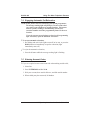
• To block voice-announced calls,
1. Press OPTIONS.
2. Press NEXT.
3. Press VAB.
4. Press ON.
5. Press SPEAKER to end.
NOTE: The above action does not prevent incoming calls from tone
ringing.
LCD Speakerphone Station User's Guide 7 – 1