1
Quick Start Guide
This Quick Start Guide is a very short, step-by-step guide to getting you
started right away at using your new M-Audio MobilePre USB.
Step 1: Run the Installer
Insert the included Install CD-ROM into your CD or DVD drive and
double-click the install program. Follow the onscreen instructions.
Depending on your operating system, you may be prompted to restart
your computer at the end of the installation procedure. If the installer
instructs you to restart, you must restart your computer.
Step 2: Connect the Audio Cables
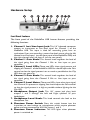
A typical system using the MobilePre USB has its two outputs connected
to a mixer or a pair of powered speakers. Connect a Microphone to the
Channel 1 XLR Input on the rear panel of the MobilePre USB.
Step 3: Connect the USB Cable
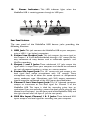
Connect the supplied USB cable to an open USB port on your computer.
Step 4: Test your Installation
Set your computer’s output to play out of the MobilePre USB and play and
audio file to test your connections. Launch an audio recording program,
arm one of the channels, and try recording some audio from a microphone
connected to the MobilePre USB’s inputs.
Still need more info? The following pages will walk you through the setup
and use of your MobilePre USB, in much greater detail.
2