1
Getting Started
Getting Started
Quick reference guide
Parts checklist
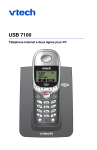
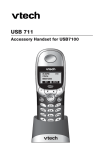
Handset
Remember to save your sales receipt and original packaging in case you ever need
to ship your telephone for warranty service. Check to make sure the telephone
package includes the following:
V
^
Press to scroll up in menus.
While entering names or numbers, press
to move the cursor to the right.
Press to scroll down in menus.
While entering names or numbers, press
to move the cursor to the left.
SOFTKEY
SOFTKEY
Press a softkey to select an option
displayed just above the key.
SOFTKEY
SOFTKEY
Press a softkey to select an option
displayed just above the key.
Battery compartment cover
CID
CD-ROM
Press to display Caller ID log.
Press to display Phonebook entries.
Call/Flash
List/Call
Telephone base
Telephone handset
Batteries (2)
Press to make or answer a telephone
call. During a call, press to answer an
incoming call, if Call Waiting is activated.
Press to make or answer an Internet call.
Press to see Yahoo! Messenger contact
list. Press again to call highlighted contact.
Redial
Volume
Press to view redial memory.
USB cable
Press to adjust listening volume.
AC adapter
Off/Clear
Telephone line cord
Belt clip
Quick Start Guide
During a call, press to hang up. While using menus, press to cancel an
operation, back up to the previous menu, or exit the menu display.
Feature menu
> shows highlighted item
Feature Menu
1 > TONES
2 HANDSET NAME
OK
1 TONES ......................See page 15
2 HANDSET NAME ......See page 15
3 AUTO ANSWER ........See page 16
4 LANGUAGE ..............See page 16
5 REGISTRATION ........See page 16
6 TIME & DATE ............See page 16
7 NET STATUS ............See page 17
* KEY LOCK ..................See page 17
V ^
Press
or
to scroll
through menu items.
Select OK to choose or modify
a highlighted item.
Press the OFF button to cancel
an operation, back up to the
previous menu, or exit the menu
display.
Menu
2
3