1
13
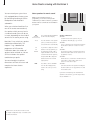
Recording from Teletext TV listings
If you have connected a BeoCord V 8000 to
your BeoVision 5, you can preset a recording
of a programme from a Teletext TV listings
page.
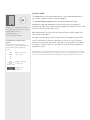
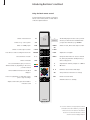
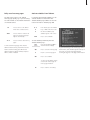
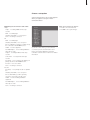
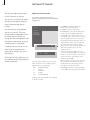
TEXT
Press to call up Teletext
0–9
Find the Teletext TV listings page,
e.g. 301
RECORD
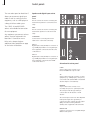
▲
ss
tt
▼
GO
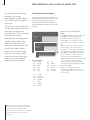
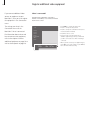
Press to record – a cursor will
highlight the first programme
name or start time on the list
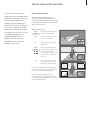
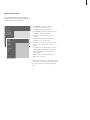
Press ss tt ▲ or ▼ to move the
cursor to the programme you
wish to record
Press to select that programme –
the cursor highlighting the
programme will change to show
the date, the channel number
and channel name, followed by
‘OK?’
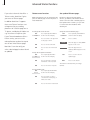
Note about PDC/VPS and recording
When PDC (Program Delivery Control) or VPS
(Video Programming System) is used, it means that
the broadcaster attaches a coded signal to every
programme they broadcast, ensuring that a
recording will be recorded in full, even though the
broadcasting of the programme in question was
delayed, causing start and stop times to change.
If PDC or VPS signals follow the broadcast
programmes you record, and the PDC/VPS facility
is set to On in the video tape recorder’s setup
menu, then the title of the programme you want
to record will be highlighted instead of the start
time. There is no need to consider start and stop
times, just accept the status line which appears
instead of the programme title. If necessary, you
can, of course, change the information displayed.
If PDC/VPS signals are not broadcast by the current
channel, your recordings are preset by start and
stop times, and will not adapt to broadcast delays
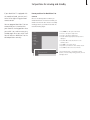
or extensions. You will see the times at the top of
the screen when you store a programme to be
recorded.
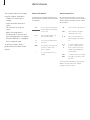
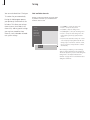
If this information is incorrect,
press ss or tt to move through
the information and ▲ or ▼ to
change the settings
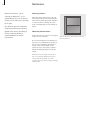
GO
Press to store your Timer
recording – RECORD is shown
If you want to record additional programmes, you
can continue to highlight listed programmes with
the cursor.
Refer to the video tape recorder’s own user’s
guide for further information.