1
Service Mode
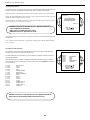
Total Run Time
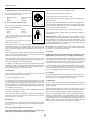
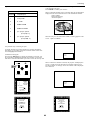
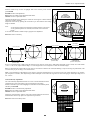
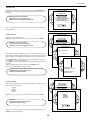
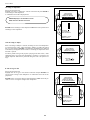
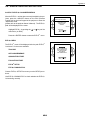
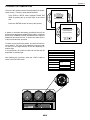
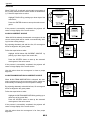
Highlight ‘Total Run Time’ with the control disc and press ENTER to display the amount of time the projector has played since its first start up at
the factory.
PROJECTOR SET-UP
IDENTIFICATION
TOTAL RUN TIME
CHANGE PASSWORD
CHANGE LANGUAGE
CHANGE PROJECTOR ADDRESS
CHANGE BAUDRATE
POWER UP MODE: operating
ENTER gives the selected item.
EXIT returns to Service mode menu.
ADJUST returns to the Operational mode.
Select with
or
then <ENTER>
<EXIT> to return.
Note : all projectors leave the factory after a burn-in period of approximately 100 hours.
Change password
PROJECTOR SET-UP
This item is password protected.
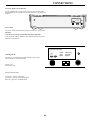
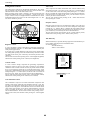
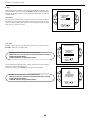
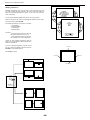
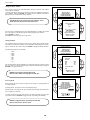
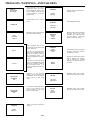
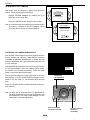
Highlight ‘Change Password’ with the control disc and press ENTER.
IDENTIFICATION
TOTAL RUN TIME
CHANGE PASSWORD
CHANGE LANGUAGE
CHANGE PROJECTOR ADDRESS
CHANGE BAUDRATE
POWER UP MODE: operating
ENTER gives the selected item.
EXIT returns to Service mode menu.
ADJUST returns to the Operational mode.
CHANGE PASSWORD
Select with
or
then <ENTER>
Enter new
password :
<EXIT>
to return.
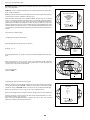
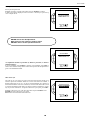
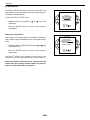
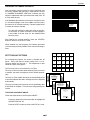
The current password is displayed. The new password must consist of 4
digits between 0 and 9. Push the control disc to the left or to the right to
select the digits to be changed. Use the numeric keys to enter the new digits.
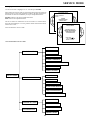
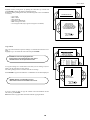
Press ENTER to save the new password. Before saving the new password,
a confirmation screen will be displayed.
Press EXIT to return to the Projector Set-up menu without saving the new
password.
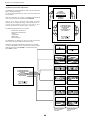
When the displayed password is correct, press ENTER to save.
If not correct, press EXIT to cancel the saving.
0000
CHANGE PASSWORD
Select with
or
then <ENTER>
<EXIT> to return.
Password will be
reprogrammed as XXXX
ENTER saves the entered password.
EXIT returns without saving.
<ENTER> to confirm
<EXIT> to cancel
PROJECTOR SET-UP
Change Language
IDENTIFICATION
TOTAL RUN TIME
CHANGE PASSWORD
CHANGE LANGUAGE
CHANGE PROJECTOR ADDRESS
CHANGE BAUDRATE
POWER UP MODE: operating
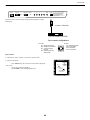
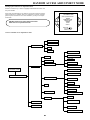
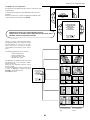
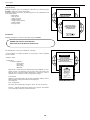
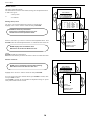
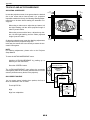
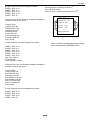
The ‘Change Language’ function offers the possibility to change the language of the screen menus to :
- English
- Spanish
- French
- German
LANGUAGE
Select with ENGLISH
or
~
then <ENTER>
ESPANOL
<EXIT> to FRANCAIS
return.
DEUTSCH
Highlight ‘Change Language’ with the control disc and press ENTER.
ENTER saves the entered password.
EXIT returns without saving.
Select with
or
then <ENTER>
<EXIT> to return.
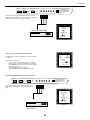
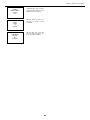
Push the control disc up or down to select the desired language and press
ENTER to change the language.
7-3