1
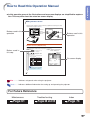
4. Adjust the angle
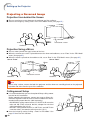
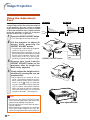
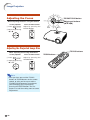
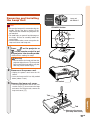
Adjust the projector angle
• Adjust the projector angle using the HEIGHT
ADJUST button.
• This projector is equipped with an “Auto Keystone
Correction” function that automatically corrects
any trapezoidal distortion within the projected
image. The correction is made automatically
provided the vertical incline or decline is within 12
degrees.
Quick Start
HEIGHT ADJUST button
Page 30
5. Adjust the focus and the zoom
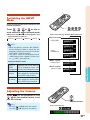
1 Bring the projected image into focus
• Bring the projected image into focus by
adjusting the focus.
2 Adjust the projected image size
• Adjust the projected image size by adjusting
zoom.
On the projector
1 Press
On the projector
1 Press
.
.
2 Adjust by pressing \ or |.
2 Adjust by pressing ' or ".
On the remote control
Adjust by pressing the
FOCUS buttons.
On the remote control
Adjust by pressing the
ZOOM buttons.
Page 32
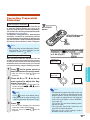
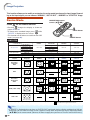
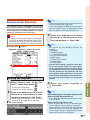
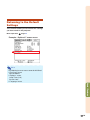
6. Select the INPUT mode
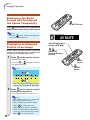
Select the “INPUT 1” using the INPUT buttons on the projector or the INPUT1 button on the remote control.
On the
projector
On the remote
control
" On-screen Display (RGB)
• When pressing '/"
" on the projector, input mode switches in order of :
INPUT 1
INPUT 2
INPUT 3
INPUT 4
• When using the remote control, press
/
/
/
to switch the INPUT mode.
Page 33
7. Turn the Power off
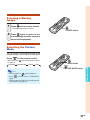
Press the STANDBY button, then press that button again while the confirmation message is displayed, to put
the projector into standby mode.
On the projector
On the remote control
" On-screen Display
• Unplug the power cord from the AC outlet after the cooling fan stops.
Page 29
-17