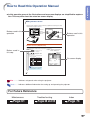
1
Removing and Installing
the Lamp Unit
Optional
accessory
Lamp unit
AN-MB60LP
Info
STANDBY button
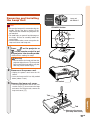
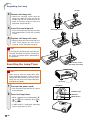
• Ensure the lamp unit is removed using the
handle. Ensure the glass surface of the
lamp unit or the inside of the projector are
not touched.
• To avoid injury to yourself and damage to
the lamp, ensure to carefully follow the
steps below.
• Do not loosen other screws except for the
lamp unit cover and lamp unit.
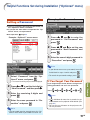
1
Press
on the projector or
on the remote control to put
the projector into standby mode.
• Wait until the cooling fan stops.
Warning!
• Do not remove the lamp unit from the
projector right after use. The lamp and
parts around the lamp will be very hot
and may cause burn or injury.
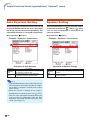
2
Disconnect the power cord.
• Unplug the power cord from the AC
socket.
• Leave the lamp until it has fully cooled
down (about 1 hour).
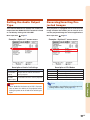
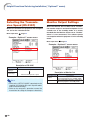
3
AC socket
Remove the lamp unit cover.
• Turn the projector over. Loosen the user
service screw (1) that secures the lamp
unit cover. Pressing the tab, remove the
lamp unit cover (2).
1
Tab
2
Appendix
Tab
User service screw
(for lamp unit cover)
-65