1
GB
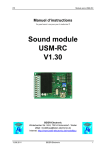
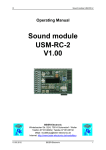
Sound module USM-RC
Table of Contents
Table of Contents ....................................................................................................... 2
Introduction................................................................................................................. 3
Note on Safety............................................................................................................ 3
Technical Data............................................................................................................ 4
Operating Modes: Digital- and analogue operation .................................................... 5
Pin assignments in digital operation ........................................................................... 6
Wiring diagram for digital operation ............................................................................ 7
Pin assignment in analogue operation........................................................................ 8
Wiring diagram for analogue operation....................................................................... 9
Installation of the sound module ............................................................................... 10
Connection of the sound module .............................................................................. 10
Connection of the sound module in digital operation ................................................ 13
Connection of the sound operation in analogue mode ............................................. 15
Functional assignment in proportional channel #1- #4 ............................................. 16
Stick simulation with switches................................................................................... 18
Loudspeaker............................................................................................................. 19
Volume control.......................................................................................................... 20
Sounds ..................................................................................................................... 21
Engine sound (Slot #1 - #9) ...................................................................................... 22
Additional sounds 1 - 16 (Slot #10 - #29) ................................................................. 24
Random sounds (Slot #30 - #37).............................................................................. 25
Turning on/off engine sound ..................................................................................... 25
Adjusting the driving sound to the top speed ............................................................ 25
Switching outputs ..................................................................................................... 26
PC-Software „USM-RC Sound-Teacher“ .................................................................. 28
Using the software ”USM-RC Sound-Teacher“......................................................... 30
Uploading sounds into the sound module................................................................. 34
Firmware update....................................................................................................... 35
Converting sound files .............................................................................................. 36
Record and edit new sounds with the PC ................................................................. 37
2
BEIER-Electronic
28.07.2008