1
How to Read the Guides
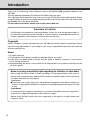
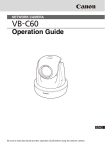
In the Start Guide and Operation Guide, the text and illustrations are applicable for both VB-C60
and VB-C60B.
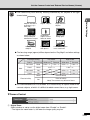
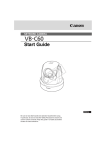
VB-C60 comes with two guides; “Start Guide” and this “Operation Guide” (on supplied Setup
CD-ROM).
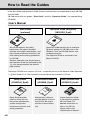
User’s Manual
Start Guide
(enclosed)
Operation Guide (this guide)
(VBC60OG_E.pdf)
Start Guide explains the safety
precautions, the types of bundled
software, the system requirements, and
the software installation instruction, the
initial setting and mounting procedures
for VB-C60.
Sections where the user should refer to
the Operation Guide are indicated by the
d icon accompanied by the relevant
page number.
Operation Guide explains how to configure
the basic settings for VB-C60, how to use
VBAdmin Tools and VB-C60 Viewer, and
troubleshooting tips.
The Operation Guide is contained in the
Setup CD-ROM.
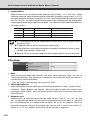
The Setup CD-ROM also contains “VK-Lite”, a simplified version of the Network Video Recorder
(→dStart Guide P.1-6). The instruction manuals below are provided for VK-Lite.
viii
Setup Guide
Administrator’s Manual
Viewer Operation Guide
(VK20SUG_E.pdf)
(VK20AM_E.pdf)
(VK20VOG_E.pdf)
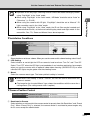
Setup Guide provides
notes for using VK-Lite,
the system requirements,
system configuration,
installation instruction and
setup procedures.
Administrator’s Manual
provides details of how to
use VK-Lite. Be sure to
read this manual before
use.
Viewer Operation Guide
is the operation guide for
VK-Lite Viewer. For
detailed information on
how to use VK-Lite
Viewer, refer to the
“Administrator’s Manual”.