1
Deploying Equalizer with MS Terminal Services
Deployment Guide
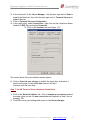
6. In the Session directory server name box, type the DNS name or IP
address of the domain server where the Terminal Services Session
Directory service is running. Note that the server name must be a valid
server name, and you cannot leave this box empty. (Also, the server
name cannot be localhost or 127.0.0.1.)
7. Verify that the IP Address redirection check box is enabled.
8. Click OK to save your settings.
Configuration Example 3:
MSTS/Equalizer Deployment with Token Redirect Session Services
Overview
While IP redirection is the preferred setting for Session Broker, Equalizer can
also work with a Session Broker that uses token redirection; the setup must be
the same as Configuration Example 2 with the following exceptions:
The sticky time on the cluster must be set to a non-zero value, and the session
time on the MSTS servers must be set to the same value – as in Configuration
Example 1. This means that the Token Redirection configuration suffers from
the disadvantages outlined for Configuration Example 1 -- i.e., the client
connection may end up getting load balanced only on initial connection, and
will be ‘stuck’ to a server until the sticky time expires.
Equalizer makes a TCP connection to the server on the server port (3389) to
determine if it is up, but by default does not validate that an RDP connection
can be made.
This can lead to a situation where Equalizer thinks a server with a sticky record
is up, but if the server is not able to make an RDP connection (e.g., the server
is up but for some reason can’t make an RDP connection), the client essentially
gets 'stuck' on the server until the server can connect, until the sticky/session
timers expire, or until the session is manually deleted from the Terminal
Manager on the appropriate server.
To eliminate this possibility, the terminal servers should be set to End instead
of Disconnect broken sessions, and an Equalizer server agent can be deployed to
ensure that RDP is working in order for a server to be considered up.
Deployment Steps
The steps required to set up the example configuration involve defining the
Equalizer cluster and the associated parameters, defining the servers and server
settings, and deploying the server agent on each MSTS server:
© 2010 Coyote Point Systems, Inc. All Rights Reserved. | www.coyotepoint.com
15