1
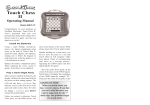
playing basic chess E-Chess starts a new game with you playing the white pieces and your opponent playing the black pieces. To start a new game and erase games stored in memory, press 2nd, then NEW GAME/HELP. 01CHESS appears. Playing against E-Chess is like playing with a human opponent. You make your move, and E-Chess responds with its move. Making a move involves a “from” square and a “to” square. The “from” square is the current location of the piece you plan to move; the “to” square is where you are moving the piece. 1. When it is your turn, repeatedly press NEXT PIECE or LAST PIECE to select the piece you want move. The piece alternately flashes on its “from” square and one of its legal destinations. 2. If the move that appears is not the one you want, repeatedly press NEXT MOVE or LAST MOVE to select other legal moves for the piece. 3. Press OPTIONS/MOVE to make your move. If you decide you want to take back your move, you must wait until E-Chess makes it’s next move. Then, press /UNDO twice to take back E-Chess’s and your previous move. • You cannot enter a command before E-Chess makes its move. • If you do not want to wait for E-Chess to calculate a move, press OPTIONS/MOVE to force the move. advanced chess features book opening trainer E-Chess makes it easy for you to learn openings that world chess champions play! You can learn 34 popular book openings (how to begin a game) used by chess masters. Press 2nd, then OPTIONS/MOVE. Press LAST PIECE or NEXT PIECE to select an opening number (1-34). Press ON/CLEAR to return to normal play. enter your own opening E-Chess allows you to set up new book openings or openings you invent. Press 2nd, then OPTIONS/MOVE until PLAYr appears. Press NEXT PIECE to set players to 2. Press ON/CLEAR, and make moves for both sides until the opening you want to practice is reached. Now press 2nd then OPTIONS/MOVE until PLAYr appears. Press NEXT PIECE to set players to 1. Press ON/CLEAR and play against E-Chess in this position. before the game starts Press 2nd and then OPTIONS/MOVE repeatedly to view all move options. To select or change an option, press LAST PIECE or NEXT PIECE. during the game TOtAL — Your E-Chess normally shows the time taken for each move. Turning this option on shows the total game time. SCOrE — Your display normally shows the number of the current move. If instead you want to see the piece-score of your current position, turn this option on. The scoring totals the following values: Pawns—1, Knights—3, Bishops—3, Rooks—5, and Queen—9. PLAYr — Select between: ‘1’—Human vs E-Chess; ‘2’—Human vs Human; ‘0’—E-Chess vs E-Chess. InFO — When turned on, this option will display the score, depth of search (number of moves E-Chess is “thinking ahead”), best move it is considering playing, and clock times. These will be displayed while the E-Chess is thinking at its higher levels. CLrBr — Use this option to clear the chess board for easier problem setup. Pressing either SETUP key now, will enter setup mode with the chess board cleared of all pieces except a White king. You must also place a Black king on the board to exit setup mode. SOUnd — Select between: ‘2’—All sound on; ‘1’—No sound on key presses; ‘0’—No sound, except for error buzzes. SLEEP — Adjust the automatic shut off time with this key. Setting it to ‘0’ will disable auto shut-off altogether. FLiP — Use this option to flip the chess board around. rating Press RATING to view your current rating, or to enter game results for a new rating. O and your current rating appears. Press OPTIONS/MOVE to access the following: Win — If you won the game, press RATING/OFF to see your new rating. Or, press OPTIONS/MOVE a second time to show: LOSE — If you lost the game, press RATING/OFF to see your new rating. Or, press OPTIONS/MOVE a third time to show: DrAW — If you drew the game, press RATING/OFF to see your new rating. Or, press OPTIONS/MOVE to return to your unchanged rating. checkers rules Each player gets 12 checkers and places his pieces on the dark squares in the first three rows in front of him. Players take turns moving, and black moves first. The first player normally moves from the “bottom” of the board. The goal of checkers is to leave your opponent with no legal move, either by taking all of his pieces or by blocking his pieces. Move your pieces diagonally forward, staying on the dark squares. A piece is captured by jumping over it to an empty square. A piece cannot jump over its own pieces. Captures are obligatory. When a piece reaches the other side of the board, it is promoted to king. Unless you instruct the game otherwise, you have the black pieces, and black always moves first. indicates it’s your move. A move consists of two parts, choosing a “from” square and a “to” square. 1. Press NEXT PIECE or LAST PIECE to choose a piece to move. captures Press /UNDO to take back your last move. Capturing is obligatory in the game of checkers, although if you have a choice of captures, you choose the one to play. When it’s your turn and you have a jump to make, JP appears. E-Checkers knows the rules and will stick to them! Make your capture, and proceed. multiple captures If there are multiple jumps possible, the “from” and “to” squares flash. All intermediate squares the piece landed on while jumping have a king’s cross on them. Some multiple jumps have two paths to the same square. Press NEXT MOVE to view both possible jumps. turn pieces into kings At the start of the game, all pieces are referred to as “piece”. When a piece reaches the far side of the board, it is crowned “king”. A king is much more powerful because a king can move backward and forward. E-Checkers automatically crowns your piece a king. A piece that promotes to a king by making a jump cannot continue jumping as a king. You must wait your turn. care Keep the game dry; if it gets wet, wipe it dry immediately. Use and store the game only in room temperature environments. Handle the game carefully; do not drop it. Keep the game away from dust and dirt, and wipe it with a damp cloth occasionally to keep it looking new. setup mode Any time it is your move during a game, you may change the position on the board by adding a piece, removing a piece, or changing a piece. removing a piece — Press 2nd then SETUP. Use the DIRECTION buttons to move the king cross over a piece. Press OPTIONS/MOVE to remove the piece. Press ON/CLEAR to continue the game. adding or changing a piece — Press 2nd then SETUP. Press SETUP-/LEVEL or SETUP+/HINT to select a piece. Use the DIRECTION buttons to move it to a square. Press OPTIONS/MOVE to register the piece. Press ON/CLEAR to continue the game. ©2004. RadioShack Corporation. All rights reserved. RadioShack and RadioShack.com are trademarks used by RadioShack Corporation. 60-2725 07A04 Printed in China playing checkers limited 90-day warranty This product is warranted by RadioShack against pieceufacturing defects in material and workpieceship under normal use for ninety (90) days from the date of purchase from RadioShack company-owned stores and authorized RadioShack franchisees and dealers. For complete warranty details and exclusions, check with your local RadioShack store. RadioShack Customer Relations 200 Taylor Street, 6th Floor, Fort Worth, TX 76102 04/04 2. The piece’s first move flashes. Press OPTIONS/MOVE to make your move. 3. To select a different move for that piece, press NEXT MOVE or LAST MOVE. • If there is only one legal move, all further attempts at selecting a different move will produce an error tone. • After making your move, E-Checkers makes its move. You’ll see your opponent’s piece flash on its “from” square and move to its “to” square. playing white pieces When you want to play the white pieces (E-Checkers moves first) press OPTIONS/MOVE before making the first move of the game. undoing moves hints Press SETUP+/HINT. HinT and a move appears. changing sides If you are losing, you can change sides. Press OPTIONS/MOVE twice and your pieces will switch sides (colors). levels of play There are 16 play levels. The higher the level, the better your E-Checkers plays. Levels 1-2 are for beginners. Levels 3-15 take 2-60 seconds per move. Level 16 is an infinite level. Level 16 is good for problem solving, or it can be used to play against. Use the left and right DIRECTION arrows to change the level. auto play To watch the computer play a game, press 2nd, and then press OPTIONS/MOVE. PLAYr appears. Change the number of players to 0. Press 2nd. Press OPTIONS/MOVE twice and watch the game play by itself. Press OPTIONS/MOVE to stop. remove a piece Press 2nd, and then a SETUP key. Move the black shape over a piece. Press OPTIONS/MOVE to remove the piece. Press ON/CLEAR to continue the game. add or change a piece Press 2nd, and then a SETUP key. Press SETUP repeatedly to select the correct piece. Move the piece to a square. Press OPTIONS/MOVE to register the piece. Press ON/CLEAR to continue the game. special positions This feature allows you to solve problems and enter your own game positions. It is easiest to start from an empty board. Press 2nd then OPTIONS/MOVE until CLrBr (clear board) appears. Now press SETUP. Your display is automatically cleared. Press SETUP repeatedly to select the piece and color you want to place on the board. Use the DIRECTION buttons to position the piece on the correct square and press OPTIONS/ MOVE to register it on the square. Follow this procedure until all the pieces are set up. Make sure E-Checkers knows which color to move. You may change the color of the side to move by pressing //UNDO. Press ON/CLEAR to play or to have E-Checkers analyze the position.