1
Confidential
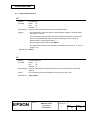
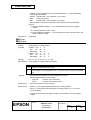
FS &
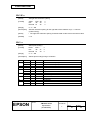
[Name]
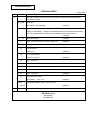
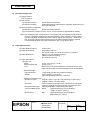
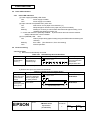
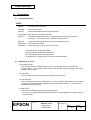
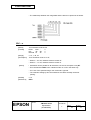
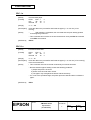
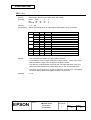
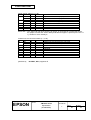
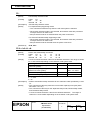
Select Kanji character mode
[Format]
ASCII
FS
Hex
1C
Decimal 28
[Description]
Selects Kanji character mode.
[Notes]
For Japanese Kanji supporting model:
• This command is effective only when the JIS code system is selected.
• When Kanji character mode is selected, the printer processes each two-byte
sequence as a Kanji character code.
• Kanji codes are processed in the order of the first byte and second byte.
• Kanji character mode is not selected when the power is turned on.
• Using FS C, the Kanji character code system is selected.
&
26
38
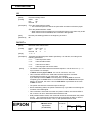
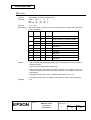
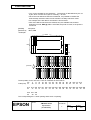
For Chinese/Taiwanese Kanji supporting model:
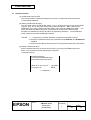
• When kanji character mode is selected, the printer checks whether the code is
Kanji or not, then processes the first byte and the second byte, if the code is
Kanji.
• Kanji codes are processed in the order of the first byte and second byte.
• Kanji character mode is selected when the power is turned on.
[Reference]
FS ., FS C
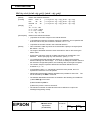
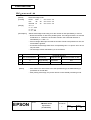
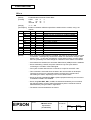
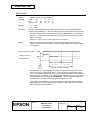
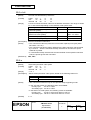
FS − n
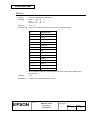
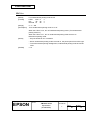
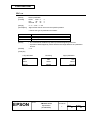
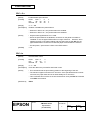
[Name]
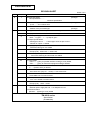
Turn underline mode on/off for Kanji characters
[Format]
ASCII
FS
Hex
1C
Decimal 28
[Range]
0≤n≤1
[Description]
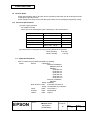
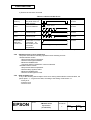
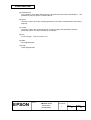
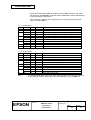
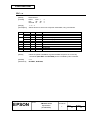
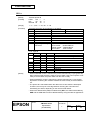
Turns underline mode for Kanji characters on or off, based on the following values
of n:
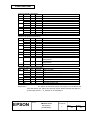
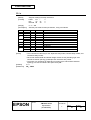
n
Function
0
Turns off underline mode for Kanji characters
1
Turns on underline mode for Kanji characters (1-dot thick)
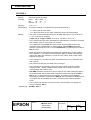
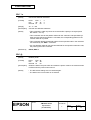
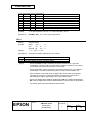
[Notes]
•
[Default]
n=0
[Reference]
FS !
−
2D
45
n
n
n
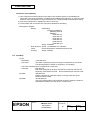
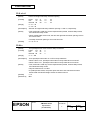
This command is valid only for the Japanese Kanji model, Chinese Kanji model,
and Taiwanese Kanji model.
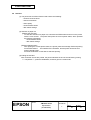
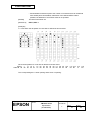
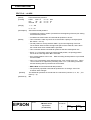
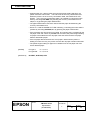
• The printer can underline all characters (including right- and left-side character
spacing), but cannot underline the space set by HT.
TITLE
EPSON
TM-U210 series
Specification
(STANDARD)
SHEET
REVISION
L
NO.
NEXT
SHEET
99
98