1
Confidential
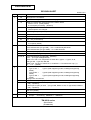
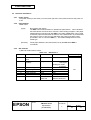
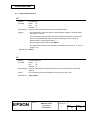
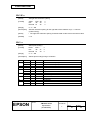
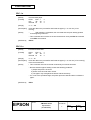
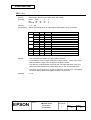
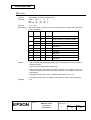
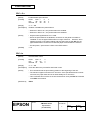
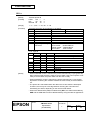
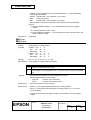
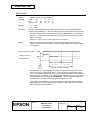
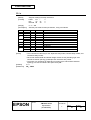
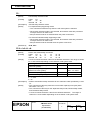
ESC c 3 n
[Name]
Select paper detector(s) to output paper end signals
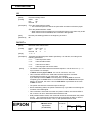
[Format]
ASCII
ESC c
Hex
1B
63
Decimal 27
99
[Range]
0 ≤ n ≤ 255
[Description]
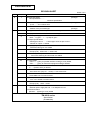
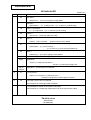
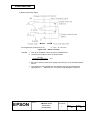
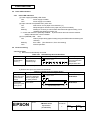
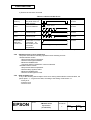
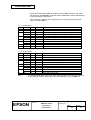
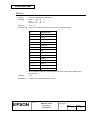
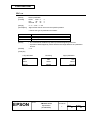
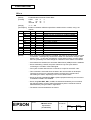
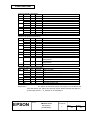
Selects paper detector(s) to output paper end signals, using n as follows:
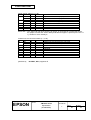
Bit
0
Off/On
Off
On
Off
On
Off
On
Off
On
-
1
2
3
4
5
6
7
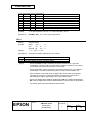
[Notes]
Hex
00
01
00
02
00
04
00
08
-
3
33
51
n
n
n
Decimal
0
1
0
2
0
4
0
8
-
Function
Paper roll near end sensor disabled.
Paper roll near end sensor enabled.
Paper roll near end sensor disabled.
Paper roll near end sensor enabled.
Paper roll end detector disabled.
Paper roll end detector enabled.
Paper roll end detector disabled.
Paper roll end detector enabled.
Undefined
Undefined
Undefined
Undefined
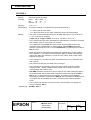
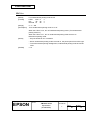
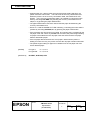
• This command is available only with parallel interface.
• It is possible to select multiple detectors to output signals. Then, if any of the
detectors detect a paper end, the paper end signal is output.
• The detector is switched when executing this command. Because of this, the
paper-out signal switching may delay depending on the receive buffer state.
• The paper near-end sensor is an option; therefore, if the sensor is not installed,
the sensor always detects that paper is loaded, not near-end.
[Default]
n = 15
TITLE
EPSON
TM-U210 series
Specification
(STANDARD)
SHEET
REVISION
L
NO.
NEXT
SHEET
82
81