1
Creative ZEN Stone Plus User's Guide
Button/Connector
1.
2.
3.
4.
5.
6.
7.
8.
9.
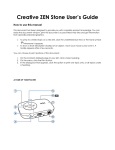
What It Does
Power/Play/Pause
Turns player on or off. Press and hold until display
screen lights up or turns off.
Plays or pauses music during playback.
My Shortcut
Press to access a feature quickly.
Press and hold to change shortcut.
Factory default: Turns on/off the speaker.
Headphone jack
Connect your player's earphones to this jack.
LED
Indicates power or charging status when the display
turns off to save power.
Display
Turns off automatically when not in use. Press any
button to turn on the display again.
USB port
To charge your player or transfer files, connect one
end of the supplied USB cable to this port, and the
other end to your computer's USB port.
To charge your player without using the computer,
purchase the ZEN™ USB power adapter. For more
information about this and other accessories, visit
www.creative.com/zenstoneplus.
Reset Hole
To reset player, insert a straightened paperclip.
Microphone
Use for voice recordings.
Menu/Select
See Navigating the Menu.
*Also turns player on or off. Press and hold until
display screen lights up or turns off.
*Not applicable for 1 GB and 2 GB player models
without speaker.
A Tour of Your Player
3