1
20
5
4
3
2
1
3P243520-1
BRC1E61
01_EN_3P243520-1.indd 20
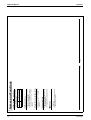
Return
Vent
Setting
20°C
Set temperature
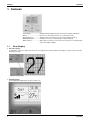
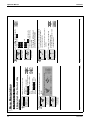
Operation Method
20
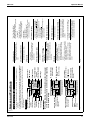
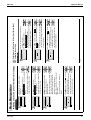
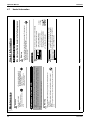
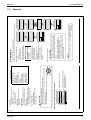
When Air Conditioner Interlocked with Total Heat Exchanger
Ɣ The Operation lamp will be turned OFF
and the system will stop operating when
On/Off button is pressed again.
Ɣ Press On/Off button.
The Operation lamp (green) will be lit
and the system will start operating.
* Ventilation rate: Low or High
English
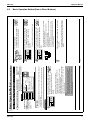
Return
Cool
Return
Cool
English
2
Return
Cool
Return
Cool
28°C
Setting
28°C
Set temperature
Setting
28°C
Set temperature
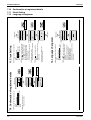
The display “
Setting
28°C
Set temperature
Setting
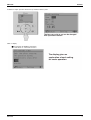
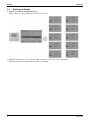
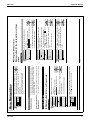
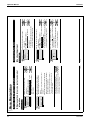
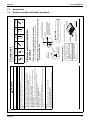
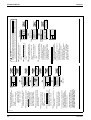
Ɣ Press Operation Mode Selector button
of the remote controller for which the
selection eligibility to be set.
Then the cooling/heating selection
eligibility will be set and the display
” (Changeover under control) will
“
disappear.
” (Changeover under
The display “
control) will appear on the other remote
controllers.
2/6/2009 5:50:01 PM
21
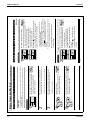
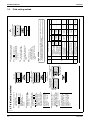
” (Changeover under control) will blink when the power is turned ON for the first time.
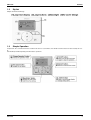
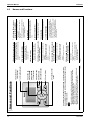
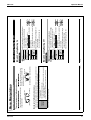
Ɣ Set a cooling/heating selection eligibility as
explained below.
* Vent mode setting changes are possible regardless of the
cooling/heating selection eligibility.
* If a cooling/heating selection eligibility is set in the cooling/
heating selection remote controller ( ), all the remote controllers
” (Changeover under control). In this case, no
will display “
cooling/heating selection eligibility can be set in the remote
controllers.
Refer to the operation manual provided to the outdoor unit for the
details of the cooling/heating selection remote controller.
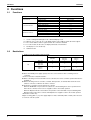
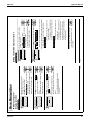
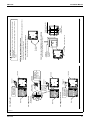
Ɣ Continue pressing Operation Mode
Selector button of the remote controller for
at least four seconds. (During backlight lit)
A remote controller will not display
” (Changeover under control) if a
“
cooling/heating selection eligibility is
granted to the remote controller.
Ɣ The display “
” (Changeover under control) on
each remote controller connected to the same
outdoor unit or BS unit will start blinking.
See page 22 for an explanation of the cooling/heating selection eligibility.
Set temperature
Selection Settings
1
Setting Changes
(VRV only)
Setting Method of the Cooling/Heating Selection Eligibility
2/6/2009 5:50:00
01_EN_3P243520-1.indd
PM
21
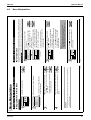
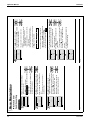
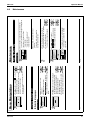
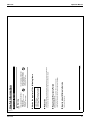
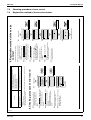
Ɣ To change the ventilation rate, make necessary
settings from the main menu (see page 32).
* Ventilation mode: Automatic, Heat exchange, and Bypass
Ɣ To change the ventilation mode setting, make
necessary settings from the main menu (see page 33).
Ɣ Set the Operation mode selector button
to Ventilation in the case of operating
the total heat exchanger without the
system between seasons.
Ɣ For mechanical protection purposes, turn ON the system at least six hours before starting the
operation of the system.
Ɣ Do not turn OFF the system in season in order to ensure the smooth starting of the system.
Preparation
Ventilation Operation
Basic Operation Method (Use of Direct Buttons)
Operation Manual
ED72-975