1
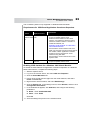
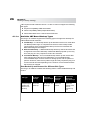
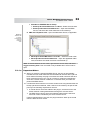
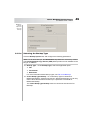
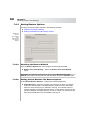
36 Chapter 5 Performing Image-Level Backups Creating a Backup Selection Set To create a Backup Selection Set, follow these steps: 1. On the Selections tab, select the data to be backed up, and then in the Backup Selection Set area, click Save As. 2. In the Save Backup Selection Set window that appears, enter a name for the set. 3. Click OK. Loading a Selection Set To load a Backup Selection Set, follow these steps: 1. Select the Selections tab, and then in the Backup Selection Set area, click Load. 2. In the Load Backup Selection Set window that appears, select the applicable set. 3. Click OK. 5.1.2 Setting Backup Options This step includes the tasks outlined in the following sections: Figure 5-3: Backup Options for Image-Level Backups Selecting the Backup Type Enabling Changed Block Tracking Generating File-Level Indexes Enabling Active Block Mapping Configuring Number of Parallel Streams