1
Chapter 18. Red Hat Virtualization Troubleshooting
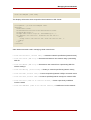
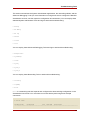
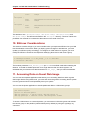
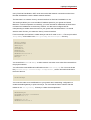
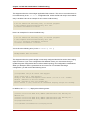
However there are some additional modifications that you must do to the xend-config
configuration file. This example identifies the entries that you must modify to ensure a
successful migration:
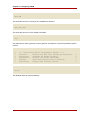
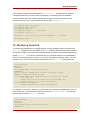
(xend-relocation-server yes)
The default for this parameter is 'no', which keeps the relocation/migration server
deactivated (unless on a trusted network) and the domain virtual memory is exchanged in
raw form without encryption.
(xend-relocation-port 8002)
This parameter sets the port that xend uses for migration. This value is correct, just make
sure to remove the comment that comes before it.
(xend-relocation-address )
This parameter is the address that listens for relocation socket connections, after you
enable the xend-relocation-server . When listening, it restricts the migration to a
particular interface.
(xend-relocation-hosts-allow )
This parameter controls the host that communicates with the relocation port. If the value is
empty, then all incoming connections are allowed. You must change this to a
space-separated sequences of regular expressions (such as
xend-relocation-hosts-allow- '^localhost\\.localdomain$' ). A host with a fully
qualified domain name or IP address that matches these expressions are accepted.
After you configure these parameters, you must reboot the host for the Red Hat Virtualization to
accept your new parameters.
24. Interpreting Error Messages
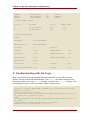
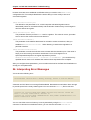
You receive the following error:
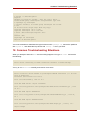
failed domain creation due to memory shortage, unable to balloon domain0
A domain can fail if there is not enough RAM available. Domain0 does not balloon down enough
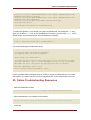
to provide space for the newly created guest. You can check the xend.log file for this error:
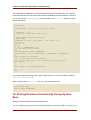
[2006-12-21] 20:33:31 xend 3198] DEBUG (balloon:133) Balloon: 558432 Kib
free; 0 to scrub; need 1048576; retries: 20
[2006-12-21] 20:33:31 xend. XendDomainInfo 3198] ERROR (XendDomainInfo: 202
Domain construction failed
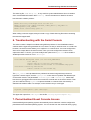
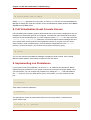
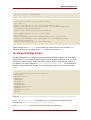
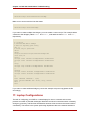
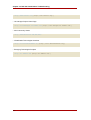
You can check the amount of memory in use by domain0 by using the xm list Domain0
command. If domain0 is not ballooned down, you can use the command "xm mem-set
98