Download Melitta C2000 Operating instructions
Transcript
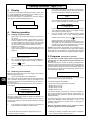
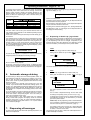
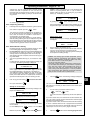
Operating Instructions Pages 9 - 23 3. Display The machine’s current status, the selected program, product data etc. are all displayed with the relevant text in the display field (1). The following display texts are only examples. As soon as the machine is connected to the mains, the following texts appear in the illuminated display field: (1) If the machine was switched off manually at the key-operated switch and the cleaning program was not its last action, the following message is displayed on switching on: CLEANING ! XXXX After completing all preparations (heating up, pre-warming etc.), the machine displays the following message: c2000 START CLEANING ? = = > PUSH JW + CC c2000 Plus 4. Starting operation 4.1 Feeding in ground coffee Open the lid of the ground coffee hopper (10) with the key and remove. Fill with the required quantity of ground coffee, or up to the maximum capacity of 2.5 kg (depending on coffee blend). The ground coffee must not be pushed. In order to prevent any loss of quality in the coffee, a quantity should be chosen which will be used up within a maximum of 5 days. Replace the lid and lock. If there is only a small amount of ground coffee left in the hopper during operation, the following text appears in the display (1) S : 1,8 Ltr. (1 In this case please follow the cleaning program menu (see 8.2.3 „Starting automatic cleaning“, from display message „Start cleaning ?“ onwards, page 13). If you do not want to start the cleaning program (Please remember however: Only a clean machine guarantees satisfied coffee drinkers), push the button and the machine will switch to its operating program. Please note: If there is any liquid left in the storage urn (e.g. „cold coffee“ from the previous day, as the machine was switched off manually with a filled storage urn), the freshly prepared coffee will be mixed with these remains. Caution: If the machine was switched off in the middle of a program, the machine first completes these programs after restarting (Break and poss. Pre-warming) with the corresponding messages in the display (1). See also section 16. „Display messages“, page 23. COFFEE ==> SET and an acoustic signal will sound. Fill in the required quantity of ground coffee. Caution: Do not put hands into hopper. There is a danger of crushing! Push the button. The text in the display (1) changes back to the selected program. 4.2 5. Programs You want to select a coffee storage volume and start a filtering program? See 12.2 „Selecting filter program and storage volume”, page 17. When the machine has reached its operating temperature after switching on and the pre-warming program has been completed, or if during operation the storage volume in the urn (11) falls below the selected minimum quantity, the machine automatically begins the filtering process to achieve the selected storage volume. The follow-ing message is displayed: Switching on the machine BREWING Make sure that the stop valve of the water supply is open and the electrical supply switched on. GB Set key-operated switch (9) to „Operator/ON“. If the machine was previously switched off according to instructions (see 9. „Switching off the machine“, page 14), the display (1) will now show in the top line the selected program and any stored coffee in the urn (S :). The following alternating messages are shown in the second line of the display: Prog. : 2 Ltr. S : 0,0 Ltr. **** PLEASE WAIT **** Prog. : 2 Ltr. S : 0,0 Ltr. ** BOILERTEMPERATURE ** The machine is heating up now. When the machine has reached its operating temperature, the alternating messages end. An automatic pre-warming process is carried out by the machine. The filter unit, storage urn and coffee transport tubes are all rinsed with hot water. (1 10 (Description of process) If the storage urn is empty and a program is selected, the machine begins automatically to prepare coffee. The current status of the machine is displayed here (see 16. „Display messages“, page 23). S : 1,2 Ltr. The filtered coffee runs into the storage urn. The current storage volume is shown in the top right of the display. The following programs are available: - Single brew 0.5 litres (without follow-up brewing) Storage volume 1.0 litre (2 Storage volume 2.0 litres (2 Storage volume 3.0 litres Storage volume 4.0 litres If no follow-up brewing is required (e.g. at the end of business, or before longer breaks), the program „Storage volume 0 litres“ can also be selected. The machine can now be emptied without any subsequent filtering. The settings and programs can be selected with the key-operated switch in the „Manager“ position when Menu 1 is set, or in the „Operator“ position if Menu 2 is set. See section 12. „Settings, Programming”, page 16. When the key-operated switch is in the „Operator” position, the filtering processes start fully automatically. (2 if storage urn drainage is activated „Brew volume“ is displayed. See 6. „Automatic storage draining”, page 11.