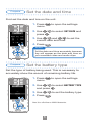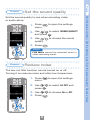
1
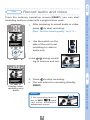
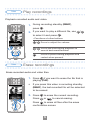
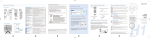
1. After preparing to record audio or video,
to start recording.
press
1,2
(See "Set the sound quality" on p. 2.)
• Use the switch on the
side of the unit to set
recording to video or
audio only.
• Use / during recording to zoom in and out.
MEMO
If the recording level is
set to AUTO,
lights
red when automatic
adjustment occurs.
4
Record audio and video
Display when
recording only
audio
to stop recording.
• The unit returns to recording standby
(READY).
Use
2. Press
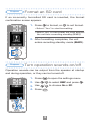
Format an SD card /Turn operation sounds on/off
From the ordinary operation screen (READY), you can start
recording audio or video with a single button push.
Prepare
Record audio and video
Use