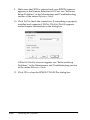
1
For Macintosh
SCSI users
Scanner:
EPSON Expression 1680/Expression 1680 Pro
System:
Apple® Macintosh with a PowerPC processor
running system 8.0 or later
Interface:
SCSI adapter
Note:
You cannot use a serial interface.
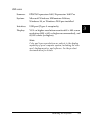
Display:
Color Monitor, 640 × 480 screen resolution (or higher
recommended), and 32,000 colors (or higher)
Note:
Color and tone reproduction are subject to the display
capability of your computer system, including the video
card, display monitor, and software. See the product
documentation for details.
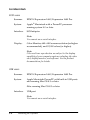
USB users
Scanner:
EPSON Expression 1680/Expression 1680 Pro
System:
Apple Macintosh PowerPC with built-in USB ports
and running Mac OS 8.5 or later
iMac running Mac OS 8.5 or later
Interface:
USB port
Note:
You cannot use a serial interface.
3-4
Installing the Software