1
LED Status Indicators
Ethernet-Port Link Status LEDs
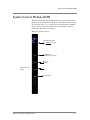
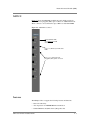
MGMT Port on the SCM
The out-of-band management port on the System Control Module (SCM),
labeled “MGMT,” has two LEDs:
• Top – Link-status LED: steady green indicates that the port is enabled
and a link is established.
• Bottom – Activity LED: blinking green indicates packet traffic.
Link LED for Each NSM Port
Each client/server port on the Network Services Module (NSM) has
link-status LED labeled “Link.” This has the same function as the
Link-status LED on the MGMT port: steady green indicates that the port is
enabled and a link is established. There is no Activity LED for the
client/server ports.
The Link LED is over each Ethernet port in the NSM-TX, but it is under
each Fibre port in the NSM-FX.
Disk Drive LEDs
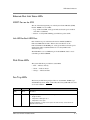
The system disk drives provide three status LEDs:
• Red — indicates Activity
• Green — indicates Power
• Orange — indicates Failure
Fan Tray LEDs
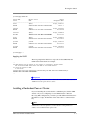
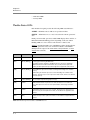
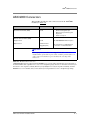
The fan-tray module front panel provides two status LEDs, ALERT (top)
and STATUS (bottom). Table 8.2 describes the fan tray LED indicators and
associated conditions.
ALERT
STATUS
Condition
(Off)
Green
No failures.
(Off)
Yellow
Warning. This could indicate one of the following conditions:
•
Single-fan failure,
•
Temperature >50 degrees C, or
•
Temperature sensor open.
Contact F5 Support; you may need to replace the entire fan tray, as described in an
appendix of this manual.
Table 8.2 Fan Tray Status LEDs
ARX®6000 Hardware Installation Guide
8-7