1
3.2.3 Advanced PCI/PnP Settings
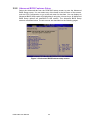
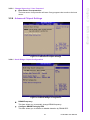
Select the PCI/PnP tab from the PCM-9363 setup screen to enter the Plug and Play
BIOS Setup screen. You can display a Plug and Play BIOS Setup option by highlighting it using the <Arrow> keys. All Plug and Play BIOS Setup options are described in
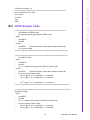
this section. The Plug and Play BIOS Setup screen is shown below.
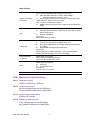
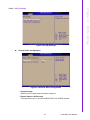
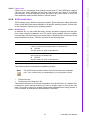
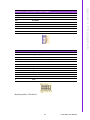
Figure 3.19 PCI/PNP Setup (top)
3.2.3.1 Clear NVRAM
Set this value to force the BIOS to clear the Non-Volatile Random Access Memory
(NVRAM).The Optimal and Fail-Safe default setting is No.
3.2.3.2 Plug & Play O/S
When set to No, BIOS configures all the devices in the system. When set to Yes and
if you install a Plug and Play operating system, the operating system configures Plug
and Play devices not required for bootup.
3.2.3.3 PCI Latency Timer
Value in units of PCI clocks for PCI device latency timer register.
3.2.3.4 Allocate IRQ to PCI VGA
When set to Yes, assigns IRQ to PCI VGA card if card requests IRQ. When set to No,
will not assign IRQ to PCI VGA card even if card requests an IRQ.
3.2.3.5 Palette Snooping
This item is designed to solve problems caused by some non-standard VGA cards.
3.2.3.6 PCI IDE BusMaster
When set to enabled BIOS uses PCI busmastering for reading/writing to IDE drives.
3.2.3.7 OffBoard PCI/ISA IDE Card
Some PCI IDE cards may require this to be set to the PCI slot number that is holding
the card. When set to Auto will works for most PCI IDE cards.
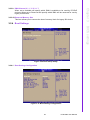
3.2.3.8 IRQ3 / 4 / 5 / 7 / 9 / 10 /11
This item allows you respectively assign an interruptive type for IRQ-3, 4, 5, 7, 9, 10,
11.
PCM-9363 User Manual
34