1
1.1
Installation Hardware
1.
2.
3.
4.
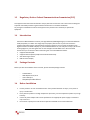
Power On source such as HD Camera
Connect your C-HDM-CVID to source device with Male to Male HDMI to HDMI
Connect Output of C-HDM-CVID with composite or S-video cable
Connect other end of CVBS or S-Video cable to TV.
Note: This Converter is NOT-HDCP compatible. This unit should not be connected to HDCP
Devices such as STP (Cable/Sat Boxes) and Blu ray/DVD players etc…………
1.2
General Troubleshooting
Problem
Possible Solution
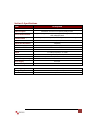
No image output
OSD-On Screen Display Shows IN: NO Signal
Try toggling Switch PAL/NTSC
Please ensure cables are properly inserted
Please ensure the RED and White RCA connections are secure.
Image is not as clear
Video –No Sound
www.avenview.com
7