1
C9_UserGuide.book Page 190 Tuesday, August 29, 2006 3:26 PM
190
Roxio Easy Media Creator User Guide
www.roxio.com
About adding audio clips
A Sound Editor project is a collection of audio clips. You can add audio
clips from various sources, improve their quality and add special effects.
You can add audio clips in any of the following ways:
■
Add audio files stored on your hard disk or removable disc storage. For
more information, see Adding audio files on page 190.
■
Copy audio tracks from CD. For more information, see Adding tracks
from audio CDs on page 192.
■
Record audio from analog sources, such as a microphone, LP records,
or tapes. For more information, see Recording from an audio input
device on page 202.
Adding audio files
With Sound Editor, you can add digital audio files to a project from your
hard disk, or from removable disc storage.
Note You can only add files in formats supported by Sound
Editor. When you browse for files to add, only files with
supported formats are visible.
To add audio files to your project:
1
To insert an audio file into an existing audio clip in your project, select
the audio clip in the Project View area.
In the Clip Editor, click to move the playback cursor to the location at
which you want to insert the audio file.
2
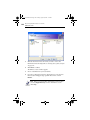
In the task area, under Add to Project, click Add Audio File.
3
Choose any of the following ways to locate the files that you want to
add: