1
Technical Publications
memory6.DKtype = 24
memory6.Line = 0
memory6.Value = 234.2.1.1:10002
memory6.PickupValue =
10.3 Multiple Zones or Groups
Each new zone or group requires a unique IP address and Port. If you use the same port for all
zones but a unique IP paging will not work.
To add multiple listening groups, change the N value to a value between 1 and 10, and assign a
unique IP and port for each page group.
ListenAddressN.Label = Page_MC
ListenAddressN.IPAddress = [Unique IP]:[Unique Port]
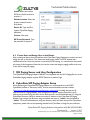
11 Ceiling Speaker Integration
This section provides details on how to integrate CyberData Ceiling Speakers with the
CyberData SIP Paging Server and the Zultys MX. When deploying the CyberData Ceiling
speakers it is recommended to use DHCP. CyberData provides a “Discovery Utility” that can be
downloaded from their website (http://www.cyberdata.net/support/voip/discovery_utility.html)
to initially discover the IP address of the CyberData Ceiling Speakers. Using the CyberData
Discovery Utility to obtain the current IP address of the CyberData Ceiling Speakers login using
a web browser using the default username of “admin” and the default of “admin”. For more
information on using the discovery utility and basic setup of the CyberData equipment, please
refer to the operating manuals from CyberData. If not integrating CyberData Ceiling Speakers,
this section may be skipped.
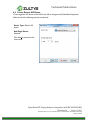
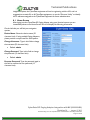
11.1 Home Screen
After loging into the CyberData Ceiling Speakers using your favorite browser you are
immediately taken to the Home Screen which will display the following information
CyberData SIP Paging Adapter Integration with MX (0000000400)
Revision 14 - August 2, 2013
© 2013 Zultys, Inc. No reproduction of distribution without permission
Page 21 of 25