1
Technical Publications
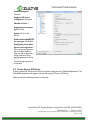
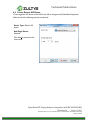
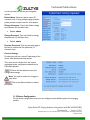
Device Type: Generic SIP
device.
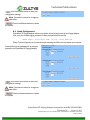
Add Single Device:
Selected.
Click Next to proceed to the
next screen.
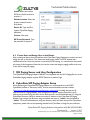
Profile: Select the Generic
SIP Device Profile created in
section 5.1.
Default Location: Select the
proper location from the
drop-down.
Device ID: Type the ID to
register CyberData
Equipment Ringing extension.
Contact: Not used.
SIP Proxy Password: Type
the password if required.
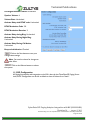
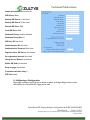
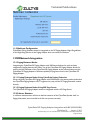
5.3 Create User and Assign User to the Device
After creating the device that will interface with CyberData Equipment, create a user and assign
the user to this device. This document assumes the reader is a ZCSE trained and a certified
technician. Since this process is covered by ZCSE training, it is considered to be outside the
scope of this document.
CyberData SIP Paging Adapter Integration with MX (0000000400)
Revision 14 - August 2, 2013
© 2013 Zultys, Inc. No reproduction of distribution without permission
Page 8 of 25