1
TS700 Installation Manual
6.
Programming
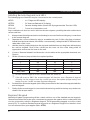
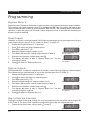
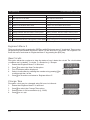
Select new setting mode by pressing:
1
for Final Exit
2 for Exit Terminator
3
7.
8.
+
for Timed Exit
0 to `toggle' between all three options
When the display shows the required setting press [ to accept.
The display will return to step 3. Repeat steps 4 to 7 for the
remaining setting groups.
Press ] to return to "Engineer Menu 1".
When using part set codes to set areas, the first area that is set will follow the setting mode
defined by that area. Any subsequent areas will always use the timed exit method.
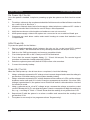
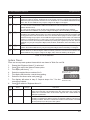
System Print
A print-out of all system parameters may be obtained so that a permanent record of the system
program details may be kept.
1. Ensure that "Engineer Menu 1" is selected.
2. Press 7 to select the System Print option.
Press ESC to cancel printing.
3. The display will show the line that is being printed (Ln01).
4. Press ] to stop printing and return to "Engineer Menu 1".
Ln01
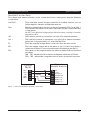
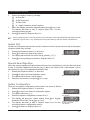
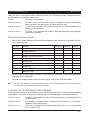
Remote Reset Algorithm
When the system requires an Engineer Reset this may be over ridden by using the Remote Reset
facility. To provide additional security the way in which the "Reset Code" is generated can be
selected to be one of 199 algorithms (default=004).
1. Ensure that "Engineer Menu 1" is selected.
2. Press 8 to select the Reset Algorithm option.
004
3.
4.
The display will show the current setting.
Enter the new number and press [ to accept.
Enter new number 000 - 199.
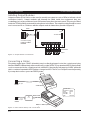
System Configuration
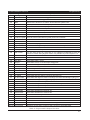
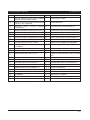
There are ten system configuration options which are shown in Table 6.
1. Ensure that "Engineer Menu 1" is selected.
2. Press 9 to select the System Configuration option.
3. The display will show: con.Enter configuration number 0- 9
(see Table 6).
4. Enter the required configuration number 0 to 9.
5. The display will show the current setting. Press 0 to "toggle"
between YES and NO. Press [ to accept.
Press 0 to `toggle' the option
6. The display will return to step 3. Repeat steps 4 to 6 for the between YES or NO.
(see Table 6).
remaining system configuration options.
7. Press ] to return to "Engineer Menu 1".
con.-
YES
21